If you've been in the vending business for any length of time, you already know that a machine sitting idle is a machine losing money. Every hour a self-service kiosk is out of service, you're not just missing sales—you're burning through site trust and giving your location partner a reason to question your reliability. After over a decade running vending operations across the U.S. and parts of Europe, I can tell you that the difference between a profitable route and a money pit often comes down to one thing: how effectively you reduce vending machine downtime. This isn't about buying expensive monitoring systems or hiring a full-time technician. It's about making smarter decisions before you buy, and building simple, repeatable habits once you're live. Let me walk you through what actually works in the field.
Why Downtime Is More Expensive Than You Think
Most new operators focus on gross margins and product selection, but they overlook the cost of a machine that stops working. A typical machine in a mid-traffic office location might do $400–$600 a week in sales. If that machine goes down for just two days, you're looking at $100–$170 in lost revenue. Over a year, a few extended outages can easily eat up 5–8% of your gross revenue. And that's before you factor in the soft costs: the location manager losing confidence in you, the end user switching to the coffee shop next door, or the hassle of scheduling an emergency vending machine repair on a Saturday.
In my experience, the average operator loses between 3% and 5% of annual revenue directly to downtime. For a 50-machine route doing $300,000 in sales, that's $9,000–$15,000 gone. That's not a maintenance line item—that's profit walking out the door.
The Real Causes of Machine Downtime (It's Not What You Think)
When I started out, I assumed the biggest downtime drivers would be mechanical failures—broken motors, jammed spirals, faulty refrigeration. And sure, those happen. But after tracking every service call across hundreds of machines, the data told a different story. The top three causes of downtime in my operation were:
- Payment system failures (about 40% of all calls): Card readers going offline, bill validators getting jammed, or communication errors between the payment terminal and the machine controller.
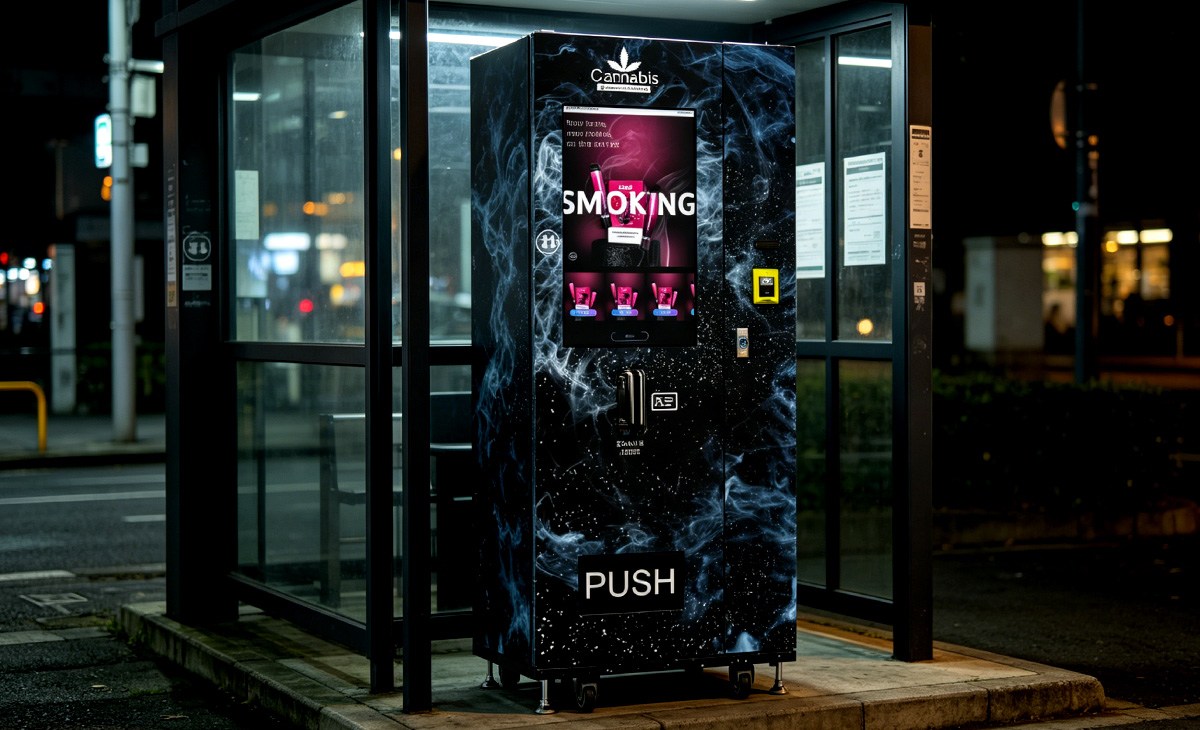
- User error and abuse (about 25%): Customers forcing product, pulling on spirals, or inserting foreign objects. This is especially common in unsupervised locations like apartment laundry rooms or transit stops.
- Environmental issues (about 20%): Power surges, temperature extremes causing condensation inside the machine, or Wi-Fi connectivity dropping in areas with poor signal.
Only the remaining 15% of calls were actual mechanical or refrigeration failures. That changed how I think about vending machine repair entirely. If you want to reduce vending machine downtime, you need to focus on the payment stack and the environment first, not the motor board.
Choosing Equipment That Stays Online
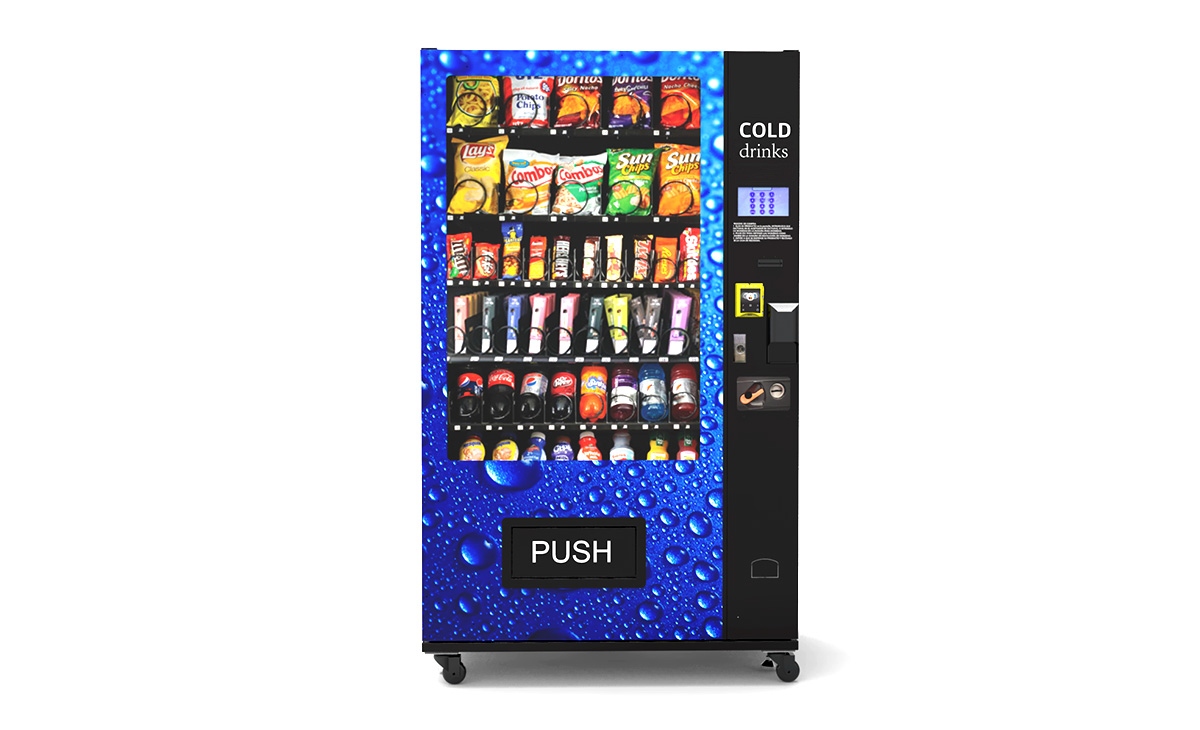
I've seen operators buy cheap used machines for $800, only to spend $1,200 on repairs in the first six months. I've also seen operators spend $6,000 on a new machine and run it for three years with zero service calls except for a blown fuse. The difference isn't luck—it's the quality of the control board, the payment system integration, and the refrigeration unit.
Here's what I look for when evaluating a machine for reliability:
Control Board and Firmware Stability
This is the brain of the machine. If the board crashes or loses configuration, nothing works. I prefer machines with industrial-grade boards that have been in production for at least two years. Early-adopter models with unproven firmware are a gamble. Look for boards that support remote diagnostics and allow you to reboot the machine remotely. That feature alone can save you a truck roll when the issue is just a frozen software state.
Payment System Compatibility
The payment terminal is the most failure-prone component. I've standardized on machines that accept the major payment platforms (Visa, Mastercard, Apple Pay, Google Pay) without needing a separate gateway box. Machines that rely on a third-party dongle or an older MDB-to-USB adapter tend to have more communication dropouts. If you're buying new, make sure the machine supports EMV contactless natively. This is non-negotiable in the U.S. and most of Europe now.
Refrigeration Quality
A refrigeration failure in a cold food machine is a catastrophe. Not only do you lose sales, but you also lose the entire inventory. I've had good experience with machines using Danfoss or Secop compressors. Avoid cheap Chinese compressors that aren't designed for continuous duty in a sealed environment. Also, make sure the machine has a proper condenser fan and that the airflow path isn't easily blocked by dust or debris.
Build Quality and Vandal Resistance
If you're placing machines in public or semi-public locations like transit stations or parks, you need a machine that can take a hit. Look for a powder-coated steel cabinet, a reinforced door hinge, and a polycarbonate or tempered glass front. I've seen machines in high-traffic train stations last five years with only cosmetic wear, while cheaper machines in similar spots needed door replacements after 18 months.
When I'm sourcing new equipment, I've found that manufacturers like Zhongda Smart offer a good balance of build quality and modern payment integration. Their machines use industrial-grade boards and support the latest EMV standards out of the box, which reduces the need for aftermarket payment retrofits. That's a direct way to reduce vending machine downtime from the day you install the unit.
Location Selection: The Hidden Factor in Reliability
I've placed machines in locations that looked perfect on paper—high foot traffic, no competition, strong demographics—only to have constant downtime because of environmental factors I didn't account for. Here are a few things I learned the hard way:
- Indoor vs. outdoor matters more than you think. Outdoor machines in climates with high humidity or extreme cold need specific components: heated bill validators, insulated cabinets, and sealed payment bezels. If you put a standard indoor machine outside, you'll be doing vending machine repair every few weeks.
- Power quality is critical. Locations with old wiring, shared circuits with heavy equipment (like refrigerators or HVAC units), or frequent brownouts will cause your machine to reboot or lose configuration. I always bring a simple power quality meter on site visits now. If the voltage fluctuates more than 10%, I either pass on the location or install a dedicated line.
- Wi-Fi reliability is often overlooked. Many operators assume that if there's a cellular signal, telemetry will work fine. But in basements, concrete buildings, or areas with heavy interference, the machine might drop off the network for hours at a time. That means you won't know there's a problem until the location manager calls you. I now test cellular signal strength at the exact spot where the machine will sit before signing any agreement.
Preventive Maintenance That Actually Prevents Downtime
Most operators only do reactive maintenance—they go out when something breaks. That's the most expensive way to run a route. A structured preventive maintenance schedule can reduce your emergency service calls by 60–70%, based on my own route data over five years.
Monthly Checks (5 Minutes Per Machine)
- Clean the bill validator head with a dry cleaning card. Dust buildup is a top cause of bill jams.
- Check the card reader for firmware updates. Payment networks update their requirements regularly, and an outdated reader can go offline without warning.
- Inspect the door gasket for tears or gaps. A bad gasket in a refrigerated machine forces the compressor to run constantly, shortening its life.
- Verify that the telemetry system is reporting correctly. If you haven't received a sales report in 24 hours, something might be wrong.
Quarterly Checks (15 Minutes Per Machine)
- Pull the machine away from the wall and clean the condenser coils. Dust and lint buildup is the #1 cause of refrigeration failure in my experience.
- Test all payment methods with a real transaction. Don't just rely on the diagnostic screen—actually buy something.
- Check the spiral alignment. Spirals that are bent or misaligned cause product jams, which lead to customer frustration and false service calls.
- Inspect the power cord and plug for damage. A frayed cord is a fire risk and a downtime event waiting to happen.
Annual Deep Service
- Replace the bill validator belts if they show wear.
- Lubricate the door hinges and lock mechanism.
- Test the battery backup (if equipped) and replace if needed.
- Update the machine firmware if the manufacturer has released a stability patch.
I know this sounds like a lot, but once you build it into your route schedule, it becomes routine. A 50-machine route can be fully maintained in about two dedicated days per month. That's far less time than you'd spend chasing emergency vending machine repair calls.
Remote Monitoring: Your Best Tool for Reducing Downtime
If you're not using telemetry on every machine, you're operating blind. I started with machines that had no remote connectivity, and I was driving to locations just to find out the machine was fine—the customer had just jammed a coin. Remote monitoring changed everything.
With a good telemetry system, you can:
- See real-time sales data and inventory levels.
- Receive alerts when a payment system goes offline.
- Reboot the machine remotely to clear a software freeze.
- Track temperature in refrigerated machines and get alerts before the food spoils.
- Identify patterns—like a specific machine that always drops offline at 3 PM, which might point to a power issue.
Most modern machines come with built-in telemetry, but if you're buying used, you can retrofit with a third-party system like Cantaloupe or Nayax. The monthly fee is usually $15–$25 per machine, which pays for itself if it prevents even one service call per quarter.
According to a 2023 report by IBISWorld, the vending machine operator industry in the U.S. generates approximately $8.2 billion in annual revenue, with operating margins averaging around 8–12% (IBISWorld, 2023). A 3% reduction in downtime can directly improve margins by nearly a third. That's not theoretical—it's arithmetic.
The Cost of Equipment: What to Expect
Here's a realistic breakdown of machine costs based on what I've seen in the U.S. and European markets. Prices vary by region, supplier, and configuration, but this will give you a ballpark.
| Machine Type | New Price (USD/EUR) | Used Price (USD/EUR) | Typical Lifespan (Years) | Annual Maintenance Cost Estimate |
|---|---|---|---|---|
| Basic snack machine (non-refrigerated) | $3,000–$5,000 | $800–$2,000 | 8–12 | $200–$400 |
| Refrigerated snack/drink combo | $5,000–$8,000 | $1,500–$3,500 | 7–10 | $300–$600 |
| Cold food machine (perishable) | $6,000–$10,000 | $2,000–$4,000 | 6–9 | $400–$800 |
| Dual-temperature machine (snack + cold food) | $8,000–$12,000 | $3,000–$5,000 | 6–8 | $500–$1,000 |
| High-end interactive kiosk (large screen, multi-temp) | $10,000–$18,000 | $4,000–$8,000 | 5–7 | $600–$1,200 |
These are estimates based on my operational experience and market data from the National Automatic Merchandising Association (NAMA). The actual cost depends heavily on whether you buy from a direct manufacturer like Zhongda Smart or through a distributor. Buying direct can save you 15–25% on the machine price, but you may need to handle your own installation and warranty support.
According to Statista, the global vending machine market was valued at approximately $29.8 billion in 2022 and is projected to grow to $42.5 billion by 2028 (Statista, 2023). The growth is driven largely by contactless payment adoption and the shift toward automated retail in non-traditional locations.
What a Realistic Profit-and-Loss Looks Like
Let me walk you through a typical machine I operate in a mid-sized office building in the U.S. Midwest. This is a real example from my route, anonymized.
- Location: Office building with 200 employees, two shifts. No cafeteria.
- Machine: Refrigerated snack and drink combo (20 selections snack, 12 selections cold drinks).
- Monthly sales: $1,800–$2,200.
- Cost of goods sold (COGS): About 45% (varies by product mix).
- Gross profit: $990–$1,210 per month.
- Location commission: 10% of gross sales ($180–$220).
- Restocking labor: $150 per month (one visit per week, 30 minutes each).
- Payment processing fees: 3% of sales ($54–$66).
- Maintenance and repair reserve: $50 per month (averaged over the year).
- Telemetry fee: $20 per month.
- Net monthly profit: $536–$704.
- Annual net profit: $6,432–$8,448.
- Machine cost (new): $6,500.
- Payback period: 9–12 months.
This is a solid return, but it assumes the machine runs reliably. If that same machine has two breakdowns per year that each take three days to resolve, you lose about $400 in sales and $220 in gross profit annually. More importantly, if the location manager gets frustrated and asks you to remove the machine, you lose the entire investment. That's why I emphasize reliability over features.
A 2022 survey by the European Vending & Coffee Service Association (EVA) found that the average vending machine in Western Europe generates about €2,500 in annual sales, with a net profit margin of 6–10% after all costs (EVA, 2022). Margins in the U.S. tend to be slightly higher due to lower equipment costs and higher per-transaction values.
How to Choose a Supplier or Manufacturer
I've bought machines from four different manufacturers over the years. Some were excellent; one was a disaster. Here's my framework for evaluating a supplier:
Warranty and Support
A good manufacturer offers at least a two-year warranty on the control board and refrigeration system. They should also have a technical support line that answers in under 15 minutes during business hours. I once dealt with a supplier whose support team was in a different time zone and took 48 hours to respond. That's unacceptable for a commercial machine.
Spare Parts Availability
Ask if common parts (bill validators, motor assemblies, door switches) are in stock and can ship same day. If the supplier doesn't stock parts, you'll be waiting a week for a $5 switch that keeps your machine offline.
Payment System Integration
The supplier should offer machines that are pre-configured with the payment systems you plan to use. Retrofitting a payment system after purchase adds cost and introduces another point of failure. I prefer suppliers that work directly with payment providers like Nayax, Cantaloupe, or USA Technologies to ensure the integration is tested before the machine ships.
Field Service Network
If you're operating in multiple cities or states, find out if the manufacturer has a network of authorized service technicians. This can save you from having to drive six hours to fix a simple jam. Some manufacturers, including Zhongda Smart, have started building regional service partnerships in the U.S. and Europe, which is worth asking about.
References
Ask for three operator references who have been running the same model for at least 12 months. Call them. Ask about downtime frequency, parts availability, and how responsive the support team is. This is the single most reliable way to gauge equipment quality.
Common Newbie Mistakes That Cause Downtime
I've made most of these mistakes myself, and I've seen other operators repeat them. Here's what to avoid:
- Buying the cheapest machine you can find. That $1,500 used machine from Craigslist might work for a month, but then you'll discover the control board is obsolete and the manufacturer went out of business. You'll end up spending more on repairs than you would have on a new machine.
- Ignoring the power supply. I once placed a machine in a warehouse where the outlet was shared with a large compressor. Every time the compressor kicked on, the voltage dropped, and the machine rebooted. It took me three service calls to figure out the root cause.
- Not testing payment systems before leaving the site. Always run a test transaction with both cash and card before you walk away. I've had machines that passed all diagnostics but failed on the first real transaction because of a configuration error.
- Overloading the machine with heavy items. Putting 12-ounce cans in a spiral designed for 8-ounce cans can cause the motor to stall or the spiral to break. Follow the manufacturer's weight and size limits.
- Using cheap generic parts for repairs. A $10 generic motor might save you money today, but it will likely fail faster than the OEM part. That means another service call, another hour of labor, and another period of downtime.
Best Locations for Low-Downtime Operation
Not all locations are equal when it comes to machine reliability. Based on my experience, these locations tend to have the lowest downtime rates:
- Office buildings with dedicated maintenance staff. The on-site team can alert you quickly if something goes wrong, and the environment is usually climate-controlled and clean.
- Manufacturing facilities with break rooms. These locations have consistent traffic, and the facility manager usually has a vested interest in keeping the machine running.
- Hospitals and medical office buildings. These are high-traffic, indoor, and well-maintained. The staff is usually helpful if you need access for repairs.
- Schools and universities (with permission). The traffic is reliable, and the environment is controlled. However, you may need to deal with more user abuse, so choose a machine with a reinforced front.
Locations that tend to cause more downtime include outdoor transit stops (weather and vandalism), apartment laundry rooms (low traffic, less oversight, more abuse), and small retail stores where the owner doesn't prioritize machine maintenance.
Final Thoughts on Keeping Machines Online
I've been doing this long enough to know that no machine is bulletproof. But I've also learned that most downtime is preventable. It comes down to three things: buying reliable equipment from a manufacturer that stands behind it, choosing locations that don't work against your machine, and staying on top of preventive maintenance. If you do those three things consistently, you can run a route where 95% of your machines are online 99% of the time. That's the standard I aim for, and it's achievable.
If you're just starting out, don't overcomplicate it. Start with one or two machines in good indoor locations. Learn the basics of vending machine repair and maintenance yourself before you hire help. And when you do scale, focus on consistency over speed. A route of 20 machines that all run reliably will outperform a route of 50 machines where a quarter of them are always down.
The automated retail space is growing, and there's real money to be made. But it's a business of details. Pay attention to the small things—the dirty bill validator, the loose door gasket, the outdated firmware—and they won't turn into big problems. That's how you reduce vending machine downtime and build a route that works for the long haul.
Frequently Asked Questions
Is a vending machine business profitable?
Yes, but profitability depends heavily on location, machine reliability, and operational efficiency. A well-placed machine in a good location can generate $1,500–$2,500 in monthly sales with a 40–50% gross margin. After commissions, restocking, and maintenance, net profit typically ranges from $400 to $800 per machine per month. It's not passive income—you have to manage it—but it can be a solid business.
How much does a vending machine cost?
A new snack or drink machine typically costs between $3,000 and $8,000. Used machines range from $800 to $4,000 depending on age, condition, and features. High-end interactive kiosks with large screens and multi-temperature zones can cost $10,000–$18,000. Prices vary by manufacturer and region.
How long does it take to recoup the investment?
With a good location, most operators recoup their machine investment in 9 to 18 months. Machines in high-traffic locations with strong sales can pay back in 6 to 9 months. Machines in slow locations may take 24 months or more. The payback period depends on sales volume, product margins, and operating costs.
Should a beginner buy or lease a vending machine?
I recommend buying outright if you have the capital. Leasing often comes with higher total costs, restrictive terms, and less flexibility. If you're unsure about the business, start with one or two used machines from a reputable source. That limits your downside while you learn the operational side.
Where should I place a vending machine for best results?
Look for indoor locations with consistent foot traffic, a captive audience, and no existing vending or cafeteria service. Office buildings, manufacturing plants, hospitals, schools, and transportation hubs are all strong candidates. Avoid outdoor locations for your first few machines unless you have experience with weather-resistant equipment.
What permits or licenses do I need?
Requirements vary by state, county, and country. In the U.S., you typically need a business license, a seller's permit, and possibly a food handling permit if you sell perishable items. Some states require a vending machine operator's license. Check with your local business licensing office and the health department. In the EU, regulations vary by member state; the European Vending & Coffee Service Association offers guidance on local requirements.
How do I choose a vending machine supplier?
Look for a manufacturer with a proven track record, a solid warranty (at least two years on key components), and responsive technical support. Ask for operator references and call them. Check whether common spare parts are readily available. Suppliers like Zhongda Smart are worth considering for their balance of build quality, modern payment integration, and support infrastructure.
What happens if the machine breaks down?
If you have remote monitoring, you'll know about the issue quickly. For minor problems like a jammed product or a payment system glitch, you can often resolve it on your next restocking visit. For major issues like a refrigeration failure or a dead control board, you'll need a service call. Having a spare machine or a stock of common spare parts can reduce the time your machine is offline.
How can I lower restocking and maintenance costs?
Use telemetry to track inventory and only visit machines when they actually need restocking. Standardize your product mix to reduce the number of different items you carry. Batch your service calls geographically to reduce driving time. And invest in preventive maintenance—it's much cheaper than emergency vending machine repair.
本文更新于2025年5月。本文内容基于作者超过10年的自动售货机运营经验及公开行业数据。实际收益和成本因地点、设备、品类、运营效率等因素而异,不构成投资承诺。作者与文中提及的制造商无财务利益关系。