If you’re looking at trading card vending machines and trying to figure out whether the dimensions and size actually matter for your bottom line, the short answer is: they matter a lot more than most newcomers expect. I’ve spent over a decade placing vending equipment across the U.S., and the single biggest mistake I see from first-time operators is buying a machine that physically doesn’t fit their intended location, or choosing a footprint that kills their per-square-foot revenue. Before you even think about card sourcing or payment processors, you need to understand that the trading card vending machine dimensions and size guide isn’t just a spec sheet—it’s the foundation of your site selection, your lease negotiations, and your daily operating costs. Get this wrong, and nothing else matters.
Why Size and Footprint Are the First Decision You Make
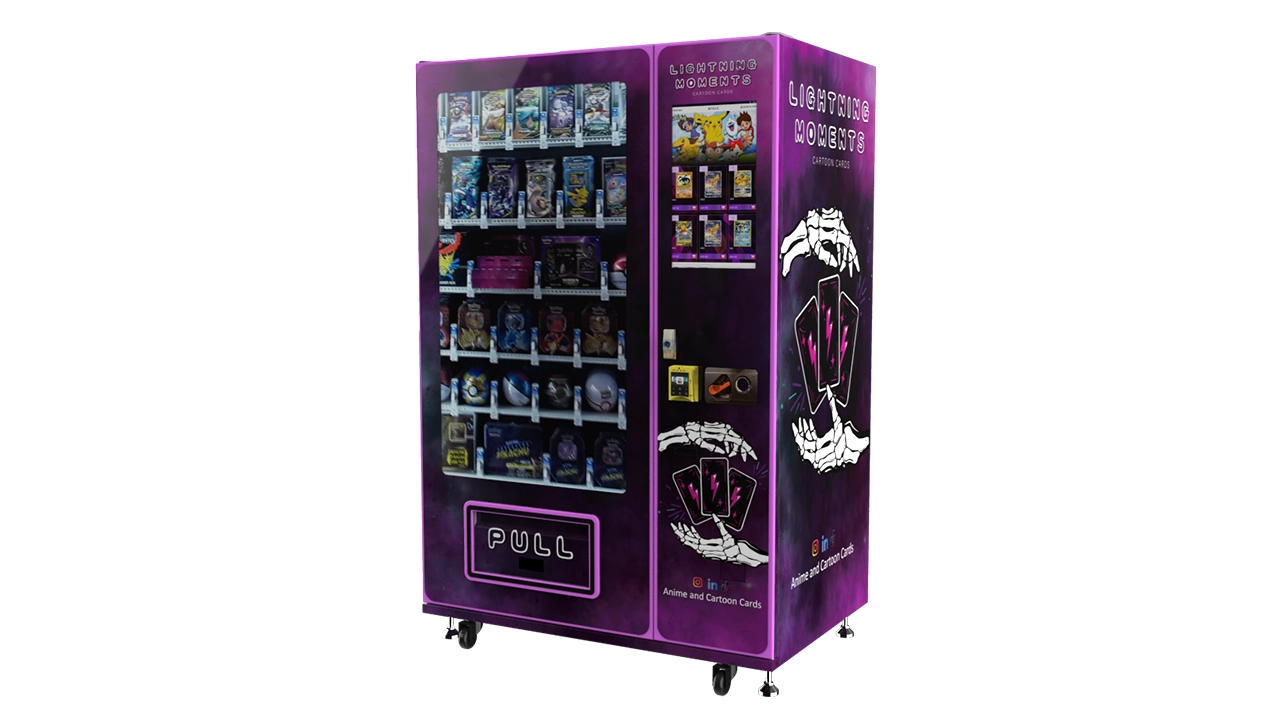
I’ve watched operators fall in love with a massive 32-inch touchscreen model, only to realize the only available spot in a comic shop is a narrow hallway that barely fits a human walking through it. That’s not an exaggeration—it happened to a guy I mentored in Ohio, and he ended up paying rent on a machine he couldn’t even plug in for three weeks while he scrambled to find a new location. The physical dimensions of your unit dictate where you can place it, how much rent you’ll pay, and whether you can get it through a standard doorframe. Most full-size card vending machines run about 72 inches tall, 40 inches wide, and 30 inches deep, but that varies wildly by manufacturer and configuration.
You also need to think about weight. A fully stocked card vending machine can easily hit 800 to 1,000 pounds, which means you need a location with a solid floor, preferably on the ground level. I’ve seen operators try to place units on second-floor locations without checking the floor load rating, and that’s a liability nightmare. When I evaluate a site, I bring a tape measure and a floor plan, not just a dream. If you’re working with a trading card vending machine, the size guide should be your first checklist item, not an afterthought.
Standard Dimensions Across Machine Types
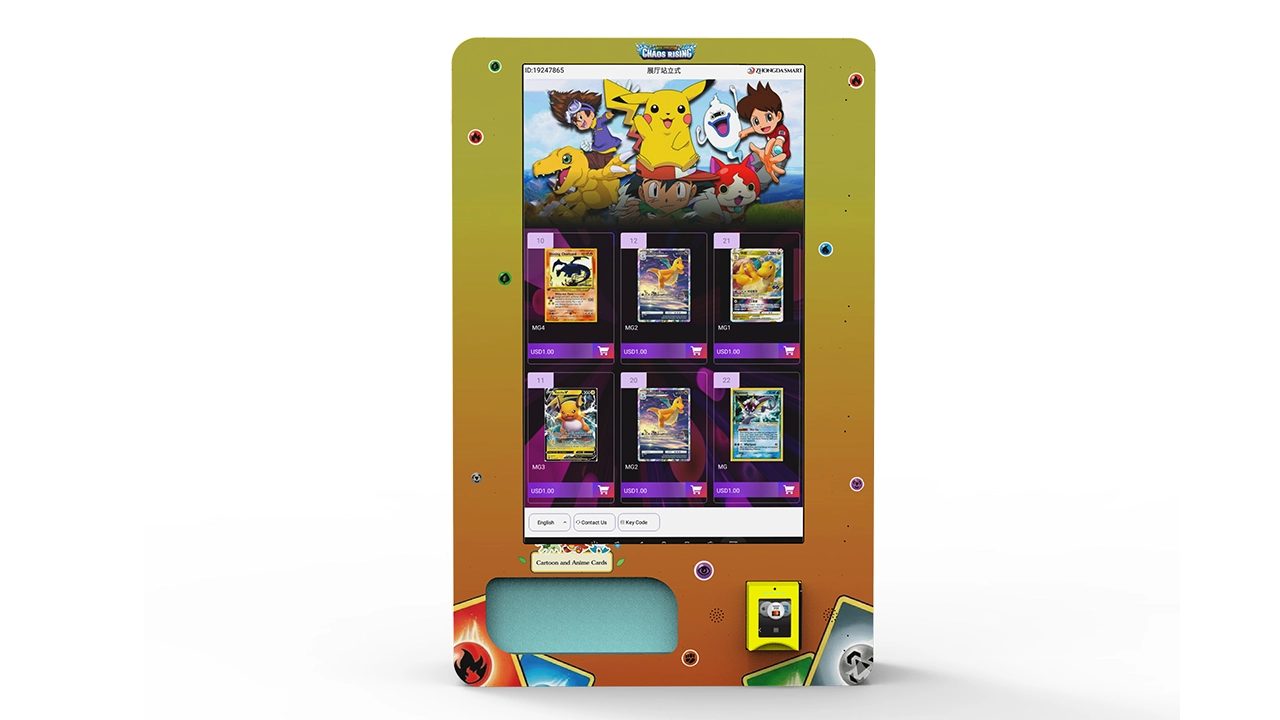
Let’s break down the typical sizes you’ll encounter, because not every machine is built for the same job. I’ve run everything from compact wall-mounted units to full-size kiosks, and each has its place. The smallest card vending machines are wall-mounted units, which I’ve written about before in my wall-mounted card vending machine notes. These typically run about 24 inches wide, 36 inches tall, and 12 to 16 inches deep. They’re perfect for tight retail spaces, but their capacity is limited—usually 200 to 400 cards depending on packaging. You’re not going to run a high-volume operation on one of these, but they’re great for testing a location without committing to a huge footprint.
Mid-size machines are the workhorses of the industry. These usually measure 40 to 48 inches wide, 65 to 72 inches tall, and 25 to 30 inches deep. They hold anywhere from 1,000 to 2,500 cards, and they’re what I recommend for most first-time operators because they balance capacity with placement flexibility. A mid-size unit can fit in most retail environments, from game stores to convenience shops, without dominating the space. The key is to measure the doorways, hallways, and elevator access before you buy—I’ve had to disassemble machines just to get them into basement locations, and that’s not a fun afternoon.
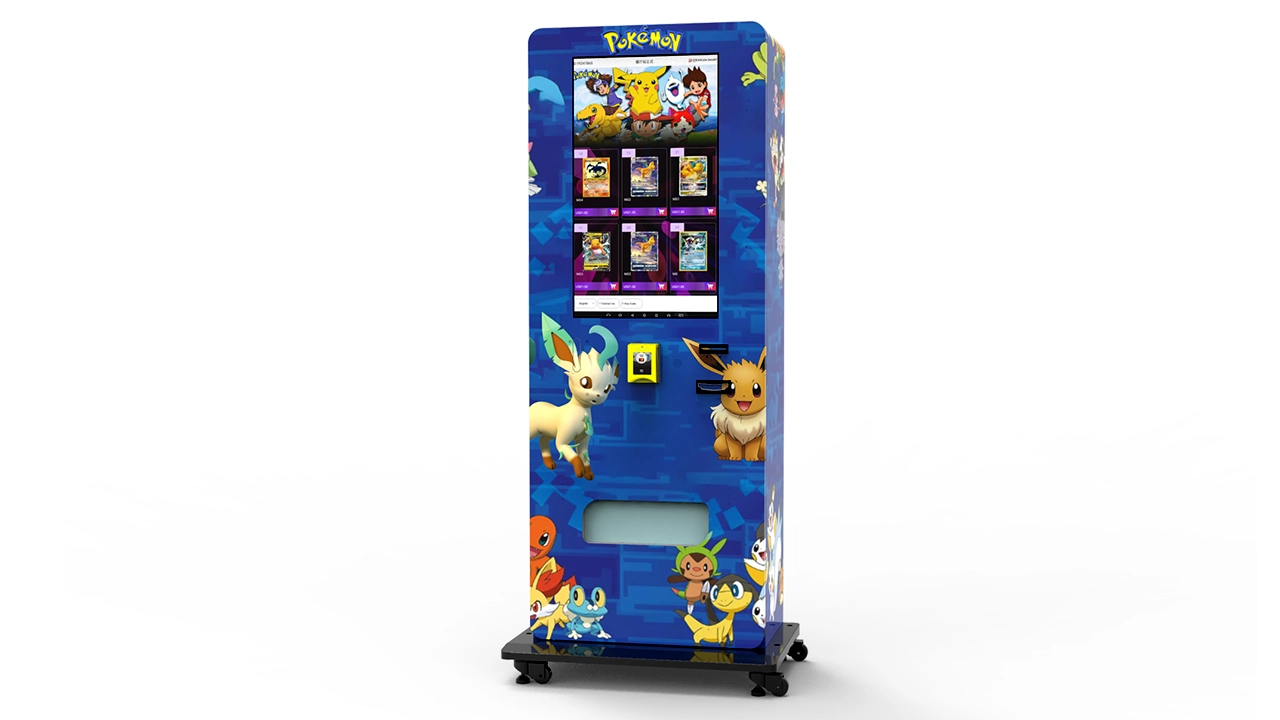
Then you have the full-size kiosks, often with 32-inch touchscreens and multiple dispensing mechanisms. These are the ones that get the most attention on social media, and they can run 48 to 60 inches wide, 72 to 80 inches tall, and 30 to 40 inches deep. They hold 3,000 to 6,000 cards and often include features like digital displays, card grading integration, or even multiple product types. I’ve placed a few of these in high-traffic malls and large hobby stores, and they absolutely perform—but only when the location can justify the footprint. A full-size machine needs about 15 to 20 square feet of clear floor space just for the unit, plus another 10 square feet for customer flow.
Real-World Case Study: The Oversized Machine Mistake
I need to share a failure from early in my career, because it taught me more than any successful placement ever did. Around 2016, I was excited about a new supplier that offered a massive kiosk with a 32-inch touchscreen, card grading capability, and a price point that seemed too good to be true. It was. The machine was 80 inches tall and 48 inches wide, and I had a signed lease for a spot in a busy card shop near a university. The problem? The shop’s entrance was only 36 inches wide, and the machine arrived on a pallet with no way to disassemble the main cabinet. We spent six hours trying to get it through the door, and we ended up having to take off the doorframe, which the landlord wasn’t thrilled about.
That machine ended up costing me an extra $2,200 in delivery fees, carpentry work, and lost sales time. The location was great, but the size made it a nightmare. I eventually sold that unit at a loss and replaced it with a mid-size model that fit the same space with room to spare. The lesson stuck with me: always measure the access path, not just the final placement spot. If you’re looking at a 32-inch touchscreen trading card vending machine, make sure you can actually get it into the building before you sign anything.
Matching Machine Size to Location Traffic
Size isn’t just about physical fit—it’s about matching capacity to foot traffic. I’ve seen operators place a full-size kiosk in a low-traffic location and then complain that the machine doesn’t rotate inventory fast enough. The truth is, a machine with 5,000-card capacity in a location that only gets 50 visitors a day is going to sit stagnant, and cards will age out of demand. Conversely, a small wall-mounted unit in a high-traffic location will sell out constantly, but you’ll be making trips to restock every other day, which eats into your margins.
My rule of thumb, based on years of trial and error, is to match capacity to weekly foot traffic. A location with 1,000 to 2,000 weekly visitors can support a mid-size machine with 1,500 to 2,000 cards. A location with 5,000 or more weekly visitors can justify a full-size kiosk, especially if you’re in a mall or a popular hobby district. For smaller locations like barbershops, laundromats, or convenience stores, a wall-mounted unit is often the right call. You want your inventory to turn over at least once every two weeks for sealed product, and faster for single cards. If you’re not hitting that, you either have the wrong machine size or the wrong location.
Comparing Machine Configurations and Costs
Let’s put some real numbers on the table. I’ve seen new operators get quoted wildly different prices for similar machines, and a lot of that comes down to configuration. A basic mid-size card vending machine without a touchscreen might run you $6,000 to $9,000. Add a 32-inch touchscreen, and you’re looking at $10,000 to $15,000. Full-size kiosks with advanced features can go from $15,000 to $25,000 or more, depending on the manufacturer and whether you’re buying new or refurbished. I’ve also seen used machines sell for half that, but you take on risk with older dispensing mechanisms and outdated payment systems.
Here’s a comparison table based on my experience and typical market rates. These are ballpark figures, not guarantees, because your actual costs will vary based on your location, supplier, and configuration choices.
| Machine Type | Typical Dimensions (HxWxD) | Card Capacity | New Price Range | Best Location Fit |
|---|---|---|---|---|
| Wall-Mounted Unit | 36" x 24" x 16" | 200–400 | $3,000–$5,000 | Barbershops, small retail, convenience stores |
| Mid-Size Floor Unit | 72" x 44" x 28" | 1,000–2,500 | $6,000–$12,000 | Game stores, comic shops, hobby stores |
| Full-Size Kiosk | 80" x 50" x 36" | 3,000–6,000 | $15,000–$25,000 | Malls, large retail, high-traffic venues |
That table is simplified, but it gives you a starting point. I’ve seen operators try to save money by buying the cheapest possible machine, and they end up paying more in maintenance and downtime. On the other hand, I’ve seen operators overspend on features they don’t need. A 32-inch touchscreen is great for engagement, but if your location doesn’t have the foot traffic to justify it, you’re just burning money on hardware. Match the machine to the site, not the other way around.
Payment Systems and the Self-Service Experience
One thing that people often overlook when thinking about machine size is the payment system. A card vending machine is a self-service kiosk, and the payment interface needs to be accessible and reliable. Most modern machines come with card readers, mobile payment support, and sometimes even cashless-only configurations. I’ve learned that cashless-only is the way to go in most locations, because handling cash adds a whole layer of security and maintenance that you don’t want. According to a Statista report on vending machine payment trends, cashless transactions accounted for over 70% of vending machine sales in the U.S. in 2023, and that number keeps climbing.
But here’s the thing: the payment system is also part of the machine’s footprint. A machine with a large touchscreen and a card reader needs proper clearance for customers to interact with it. If you place a full-size kiosk in a narrow hallway, customers won’t be able to stand comfortably while browsing the screen, and that hurts your sales. I always recommend leaving at least 3 feet of clear space in front of the machine for customer flow. This is especially important for locations with high foot traffic, because a bottleneck in front of your machine will annoy both your customers and the business owner hosting your unit.
Supplier Selection and What I Look For
When I’m evaluating suppliers, I don’t just look at price—I look at build quality, after-sales support, and whether they understand the card vending niche specifically. A generic vending machine manufacturer might sell you a unit that works for snacks, but card vending has unique requirements: adjustable compartments for different card sizes, gentle dispensing mechanisms that don’t damage sealed packs, and software that lets you manage inventory and pricing remotely. I’ve worked with a few manufacturers over the years, and one that consistently stands out is Zhongda Smart. They’re not the cheapest option, but their machines are built for the card market, and their support team actually answers the phone when you have a problem. That matters more than you think when your machine goes down on a Saturday morning.
I also check whether the supplier offers remote management software. This is a game-changer for multi-location operators. If you’re running one machine, you can get by with manual checks. But if you’re scaling to five or ten machines, you need to see real-time inventory levels, sales data, and error alerts from a dashboard. The operational details of managing a card vending machine are something every operator should understand before buying, and remote management is a big part of that. If a supplier doesn’t offer it, I move on.
Location Selection: The Hardest Part of This Business
I’ve said this before, and I’ll keep saying it: the machine is only half the equation. The other half is the location. A great machine in a bad location is a money pit. A mediocre machine in a great location can still make you a profit. When I evaluate a potential site, I look for three things: foot traffic, the right customer demographic, and the host business’s attitude toward the machine. Foot traffic is obvious—you need people walking by. But the demographic matters just as much. A card vending machine in a trendy clothing boutique is going to fail because the customers aren’t there to buy trading cards. A machine in a comic shop or a game store is a natural fit.
I also look at the host business’s willingness to promote the machine. If the owner is excited about it and willing to mention it to customers, your sales will be significantly higher than in a location where the owner ignores the machine. I’ve had locations where the owner actively directs customers to the machine, and those locations outperform others by 30 to 50 percent. When I’m negotiating a placement, I always ask about the host’s marketing plans and whether they’re open to cross-promotion. This isn’t just about rent—it’s about partnership.
For a deeper dive into how I evaluate sites, I’ve put together some notes on location assessment and placement strategy. The short version is that you should never sign a lease without spending at least a few hours observing the location at different times of day. I once placed a machine in a location that looked busy during the lunch rush, but it was dead by 3 PM, and my sales tanked. Observation matters more than any spreadsheet.
Costs, Revenue, and Payback Period: A Realistic Look
Everyone wants to know if these machines are profitable, and the answer is: they can be, but it’s not automatic. Based on my own operations, a well-placed mid-size card vending machine can generate $800 to $2,500 per month in revenue, depending on location, card selection, and pricing. Gross margins on cards are typically 30 to 50 percent, but that’s before you account for transaction fees, maintenance, restocking labor, and the cost of the machine itself. A realistic net margin is closer to 15 to 25 percent after all expenses, and that assumes you’re doing the labor yourself or you have efficient restocking processes.
Payback periods vary widely. I’ve seen operators recoup their investment in as little as 6 months in exceptional locations, but I’ve also seen operators take 18 to 24 months to break even. The average, in my experience, is somewhere around 12 to 18 months for a new machine. If you’re buying used, you might shorten that, but you’re also taking on more risk. The U.S. Small Business Administration has a helpful guide on retail business planning that emphasizes the importance of realistic cash flow projections, and I’d recommend any new operator read that before making a purchase.
One thing I always tell new operators is to budget for unexpected costs. Machines break, payment systems glitch, and you’ll occasionally have a card jam that requires a service call. I typically set aside 10 percent of my monthly revenue for maintenance and repairs. That might sound like a lot, but it’s saved me more than once when a machine went down during a high-sales weekend.
Maintenance, Restocking, and Operational Efficiency
Restocking is where most operators lose money without realizing it. If you’re driving 30 minutes each way to restock a machine with $100 worth of cards, your labor cost just wiped out most of your profit. I structure my routes so that I can service multiple machines in the same geographic area in one trip. This is why I started with a single machine and then expanded deliberately—I wanted to build a route, not just a collection of scattered units. The inventory management practices for card vending I’ve developed over the years are all about reducing trips and maximizing the value of each restock visit.
Maintenance is another area where operators get caught off guard. Card vending machines have moving parts, and they need regular cleaning and calibration. I recommend a monthly maintenance check that includes testing the dispensing mechanism, cleaning the card readers, and inspecting the internal temperature if your machine has any climate control. Most issues can be caught early if you’re proactive, but if you ignore the machine for months, you’ll end up with a breakdown that costs you both money and reputation.
Leasing vs. Buying: Which Makes More Sense?
I get asked this constantly, and my answer hasn’t changed in years: if you’re new, buy a used or mid-range machine rather than leasing. Leasing sounds attractive because it lowers your upfront cost, but the monthly payments eat into your margins, and you don’t build any equity. I’ve seen lease agreements with terms that are effectively impossible to break, even if the machine turns out to be a lemon. Buying, even if it means starting with a smaller machine, gives you flexibility. You can sell the machine if the location doesn’t work out, and you’re not locked into a contract that outlasts your patience.
That said, leasing can make sense if you’re testing a very uncertain location and you don’t want to commit capital. But I’d only recommend that if you’ve done your homework and you’re confident the location has potential. Otherwise, you’re just paying rent on a machine that’s not working for you. The European Commission’s SME support resources have some useful guidance on equipment financing that’s worth reading if you’re considering different acquisition models.
Common Mistakes I See New Operators Make
I’ve already mentioned the size mismatch problem, but there are other mistakes that come up again and again. One is buying a machine without understanding the card market in their area. If you’re placing a machine in a region where sports cards are more popular than Pokémon, you need to stock accordingly. I’ve seen operators load up on one type of card only to discover that the local demand is completely different. Research the local market before you buy, not after.
Another mistake is ignoring the payment system’s reliability. A machine that doesn’t accept modern payment methods will lose sales to online competitors. I’ve seen operators lose up to 30 percent of potential sales because their machines only accepted cash. The trend toward cashless is undeniable, and if your machine doesn’t support it, you’re leaving money on the table. The Federal Reserve’s payments system data shows the steady decline of cash transactions, and vending is no exception.
Finally, I see operators who don’t track their data. If you’re not recording which cards sell, at what price, and during which time periods, you’re flying blind. I use a simple spreadsheet for each machine, but more advanced operators use the remote management software I mentioned earlier. Data-driven decisions are the only way to optimize your inventory and maximize your profit.
Regulations, Permits, and Local Compliance
The regulatory environment for vending machines varies by country, state, and even city. In the U.S., most locations require a business license, and some states require a specific vending permit. Sales tax collection is another issue—you’re responsible for collecting and remitting sales tax on every transaction, which means you need to understand the tax rules in each jurisdiction where you operate. I’ve seen operators get hit with fines for not collecting the right tax rate, and that’s an avoidable mistake.
In the European Union, the rules are different but equally important. The Eurostat retail trade statistics can give you a sense of market conditions, but you’ll also need to comply with local business registration and tax requirements. I always recommend consulting with a local business advisor or accountant before you launch, because the last thing you want is a surprise tax bill or a permit violation.
FAQ: Answers to the Questions I Hear Most Often
Are card vending machines profitable?
They can be, but profitability depends heavily on location, card selection, and operational efficiency. In my experience, a well-placed machine can generate $800 to $2,500 per month in revenue, with net margins around 15 to 25 percent after all costs. However, a poorly placed machine can lose money, so treat profitability as a result of good planning, not a guarantee.
How much does a card vending machine cost?
New machines range from about $3,000 for a basic wall-mounted unit to $25,000 or more for a full-size kiosk with advanced features. Mid-size floor units typically cost $6,000 to $12,000. Used machines can be significantly cheaper, but you take on more maintenance risk.
How long does it take to recoup the investment?
Payback periods vary from 6 to 24 months, with an average of about 12 to 18 months for a new machine. The exact timeline depends on your location, sales volume, and how efficiently you manage restocking and maintenance.
Should beginners buy or lease a machine?
I generally recommend buying, even if it means starting with a smaller or used machine. Leasing locks you into monthly payments and doesn’t build equity. Buying gives you flexibility to sell or relocate if a location doesn’t work out.
Where should I place a card vending machine?
Look for locations with high foot traffic and a customer base that’s likely to buy trading cards. Comic shops, game stores, hobby shops, and malls are strong candidates. Avoid locations where the host business isn’t enthusiastic about the machine, because their support can significantly impact your sales.
What permits or licenses do I need?
Requirements vary by jurisdiction. In the U.S., you’ll typically need a business license and possibly a vending permit, plus you’ll need to collect and remit sales tax. In the EU, you’ll need to register your business and comply with local tax rules. Always consult a local business advisor.
How do I choose a reliable supplier?
Look for suppliers with experience in the card vending niche, responsive after-sales support, and remote management software. I’ve had good experiences with Zhongda Smart, but I always recommend checking references and asking for a demo before committing.
What should I do if my machine breaks down?
Start with basic troubleshooting like checking power and payment system connections. If the issue is mechanical, you may need a service call. I recommend budgeting 10 percent of monthly revenue for maintenance and having a backup plan for restocking if a machine is down for an extended period.
How can I reduce restocking and maintenance costs?
Plan efficient routes so you can service multiple machines in one trip. Use remote management software to monitor inventory levels and catch issues early. Regularly clean and calibrate your machine to prevent breakdowns.
Final Thoughts From Someone Who’s Been in the Trenches
This business is not a get-rich-quick scheme. It’s a real operation that requires planning, discipline, and a willingness to learn from mistakes. The dimensions and size of your machine are the first practical decision you’ll make, and getting that right sets the foundation for everything else. I’ve shared both my failures and my successes here, and I hope they save you some of the pain I went through. If you’re serious about this, start small, measure everything, and treat your machine like the business asset it is. The information in this guide is based on my personal experience and should not be taken as financial advice—always do your own research and consult professionals where needed.