If you’re looking into how to choose a vending machine for graded cards and slabs, the first thing I’ll tell you is this: stop thinking about the machine first and start thinking about the location, the product mix, and the operating costs. I’ve been running automated retail in the U.S. and parts of Europe for over a decade, and I’ve seen more operators lose money on a bad placement than on a bad piece of equipment. The machine matters, but it’s only one part of a system that includes rent, electricity, card inventory, payment processing, and your own time. In this guide, I’ll walk you through what actually works on the ground, what doesn’t, and how to avoid the mistakes that eat into your margins before you even open the door.
Why Graded Card Vending Machines Are a Different Animal
Running a snack or soda vending machine is straightforward. You restock chips, collect cash, and replace a broken motor occasionally. A graded card vending machine is closer to running a small retail store inside a box. You’re dealing with high-value items, authentication concerns, and customers who expect a certain level of presentation. A PSA or CGC slab is not a candy bar. If the machine jams or the card gets damaged, you’re not losing a dollar—you’re losing a hundred dollars or more.
That changes how you evaluate equipment, how you set up your payment systems, and how you handle maintenance. In my experience, the operators who treat this like automated retail instead of a hobby are the ones who survive the first year. The ones who buy a cheap machine, throw some cards in it, and hope for the best are usually selling the unit within six months.
What You’re Actually Buying: The Machine Is Just the Start
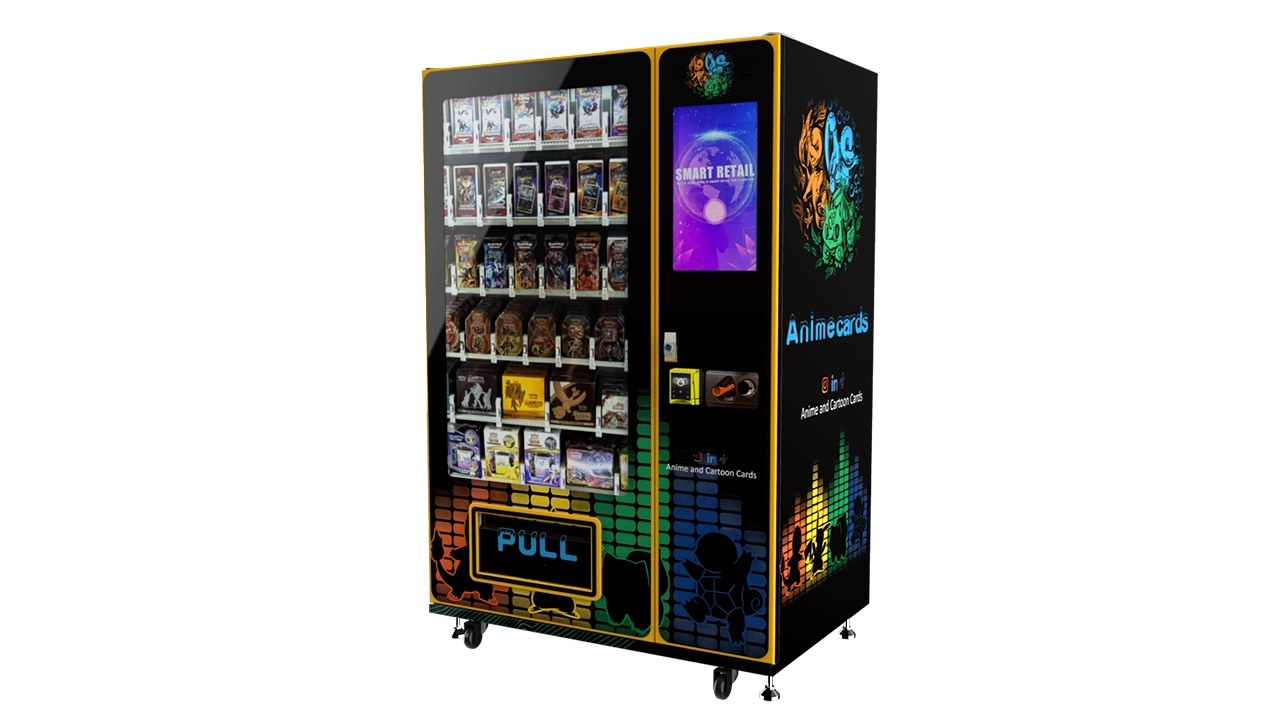
When I talk to new operators, they always ask about the price of the machine itself. That’s understandable, but it’s not the full picture. The total investment includes the machine, shipping, installation, payment processor setup, initial card inventory, and a cash reserve for restocking. If you’re looking at a new unit with a touchscreen and secure dispensing mechanism, expect to pay anywhere from $8,000 to $25,000 depending on the configuration. A wall-mounted or smaller countertop unit might run $4,000 to $9,000, but it also limits how much inventory you can hold and how many transactions you can handle per day.
I’ve seen operators buy a $15,000 machine and then have no money left for a decent card selection. That’s backwards. The card inventory is what makes the revenue. The machine is just the delivery system. If you have $20,000 to start, I’d rather see you spend $10,000 on a solid machine and $10,000 on inventory than $18,000 on a fancy unit with a hundred dollars worth of cards inside.
One thing I’ve learned the hard way: the cost of the machine is not the cost of the business. You need to budget for ongoing expenses like vending machine repair, software updates, and replacement parts. A card vending machine has more moving parts than a snack machine, and when something breaks, you can’t just ignore it. Customers won’t buy a $200 card from a machine that looks like it’s falling apart.
New vs. Used vs. Refurbished Equipment
There’s a market for used card vending machines, but I’m cautious about recommending it to someone just starting out. Used machines can save you 30% to 50% upfront, but you inherit the previous operator’s problems. I bought a used machine once, early in my career, and it looked fine on the outside. The card dispensing mechanism jammed every few days, and the touchscreen had a dead zone that made it impossible to select certain items. I spent more on repairs in three months than I would have saved by buying new.
If you do go the used route, bring someone who knows the equipment or at least ask for a service history. Check the firmware version, test every slot, and run a full transaction cycle before you hand over any money. Refurbished units from a reputable dealer can be a middle ground, but make sure the warranty covers the dispensing mechanism and the main board. Those are the two components that fail most often.
Location Is the Real Business Model
I can’t say this enough: the machine is not the business, the location is. A mediocre machine in a great location will outperform a great machine in a dead location every single time. Over the years, I’ve developed a simple checklist for evaluating potential spots. It’s not scientific, but it’s based on years of trial and error.
First, foot traffic. I look for at least 500 to 1,000 people passing by per day, depending on the venue. A card shop with 200 visitors a day might still be viable because the conversion rate is high, but a general retail store needs more foot traffic to make up for the lower percentage of interested buyers. Second, dwell time. People need time to browse. A location where people are rushing through—like a subway station—tends to perform worse for high-value items. Third, security. Graded cards are valuable, and if the location feels unsafe, customers won’t feel comfortable making a large purchase from a machine.
One of my most successful placements was in a hobby store that also hosted weekly trading card events. The owner let me place a wall-mounted unit near the play area. It wasn’t the highest traffic location, but the people who came in were already in the mindset to buy cards. That machine did about $3,500 in monthly sales with a 35% gross margin. Not bad for a small footprint.
On the flip side, I placed a machine in a busy mall corridor once, thinking the foot traffic would carry it. The traffic was there—probably 2,000 people a day—but the conversion was terrible. People were shopping for clothes, not cards. The machine sat there for two months before I moved it. That was a $1,200 mistake in rent and lost inventory opportunity.
How to Evaluate a Potential Location
Don’t just look at the space and guess. Ask the property owner or store manager about daily traffic numbers. If they don’t have data, do your own count. Sit nearby for an hour and count how many people walk past. Multiply by the hours the location is open. That gives you a rough daily number. Then apply a realistic conversion rate. For trading cards, I usually estimate 0.5% to 2% of passersby will make a purchase, depending on the venue. If you’re in a card shop, that rate can be 5% or higher.
Also consider the payment infrastructure. Does the location have reliable internet for the machine’s connectivity? If not, you’ll need to deal with offline mode or a separate data plan. And check the power situation. Some older buildings have outlets that can’t handle the machine’s draw, especially if it has a large touchscreen and cooling fans running constantly.
Equipment Configuration: What Actually Matters
When you’re comparing machines, it’s easy to get distracted by the size of the screen or the aesthetic design. Those things matter, but they’re not the core of the operation. What matters is how the machine handles the cards, how secure it is, and how reliable the dispensing mechanism is. Graded cards come in slabs that are thicker and heavier than standard trading cards, so the machine needs to be designed for that specific form factor. A machine built for booster packs will not work well for slabs.
Look for machines with a secure locking mechanism on the dispensing tray. Some cheaper units use a simple gravity-fed system that can damage cards during the drop. I’ve seen slabs come out with cracked cases, and that’s a customer service nightmare. You want a machine that uses a controlled delivery system—something that lowers the card to a retrieval bin rather than dropping it.
Another feature to prioritize is remote inventory management. If the machine doesn’t let you check stock levels and sales data remotely, you’re going to be making a lot of unnecessary trips. I check my machines via a dashboard on my phone. That lets me know when to restock and which items are selling. Without that, you’re flying blind.
Touchscreen and User Experience
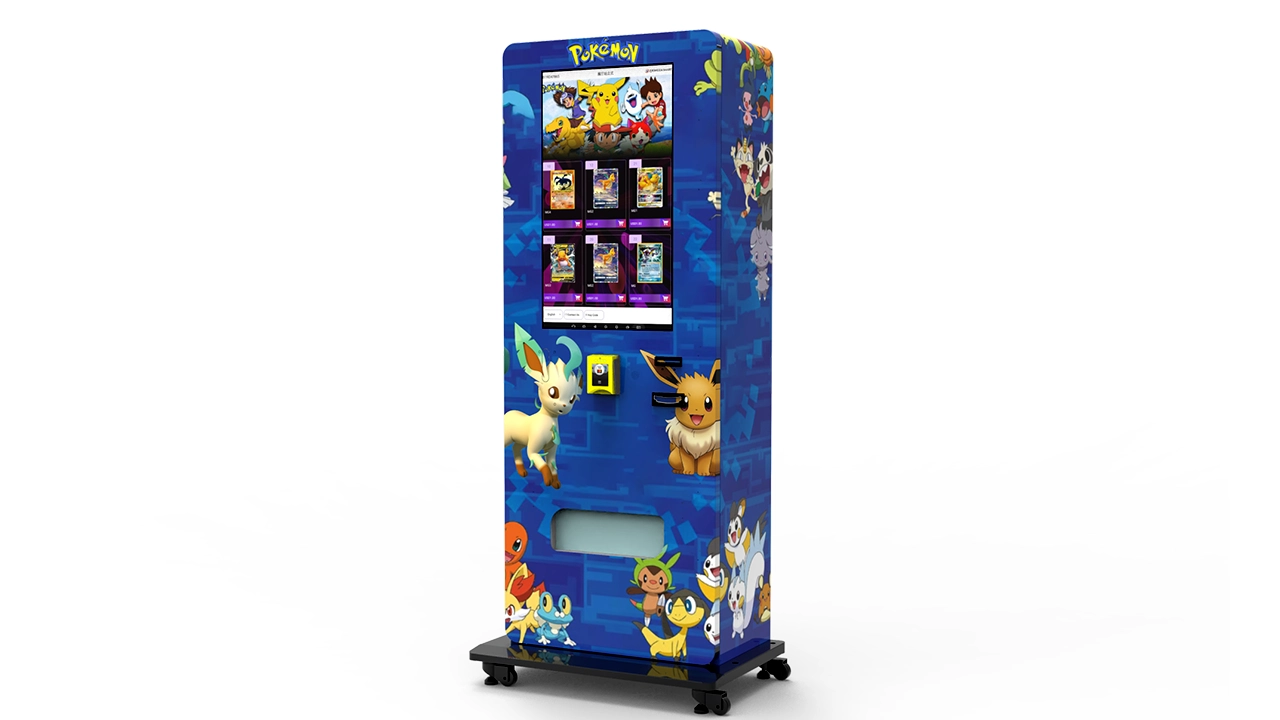
The touchscreen is your storefront. It’s what the customer interacts with, and if it’s slow or confusing, they’ll walk away. I recommend a machine with at least a 22-inch display, but 32 inches is better if you have the space. The larger screen allows you to show high-quality images of the cards, which is important because customers want to see the condition and the label before they buy.
Make sure the interface is simple. The customer should be able to browse, select, and pay in under a minute. If they have to fiddle with menus or wait for the screen to load, you’re losing sales. I’ve seen machines with clunky interfaces that took 30 seconds just to load a product page. That’s too long for a customer who’s on the fence.
Payment Systems and Security
Cash is almost irrelevant for a card vending machine. You need card payments, mobile payments, and ideally support for digital wallets like Apple Pay and Google Pay. The payment processor is a critical part of the setup. Look for a system that integrates with the machine’s software and offers a smooth transaction flow. I use a processor that charges about 2.9% plus 30 cents per transaction. That’s standard, but you can negotiate if you’re processing high volumes.
Security is another layer. Graded cards are a target for theft. The machine needs to be physically secure, but you also need to protect against fraud. Make sure the machine has a tamper alarm and that the transaction data is encrypted. Some operators also install a camera near the machine to deter theft and provide evidence if something happens.
I learned this lesson after a break-in at a location in a suburban shopping center. The thieves didn’t get the cards—the machine held up—but they damaged the door and the payment panel. The repair cost me $600, and I lost a week of sales while the machine was out of service. That’s when I started putting cameras on every unit.
Cost Breakdown and Realistic Return Expectations
Let’s talk numbers. Based on my own operations and conversations with other operators, here’s a realistic cost structure for a single card vending machine in a good location:
- Machine purchase: $8,000 to $25,000
- Shipping and installation: $500 to $1,500
- Payment processor setup: $100 to $300
- Initial card inventory: $5,000 to $15,000
- Monthly location rent: $100 to $500 (or a revenue share)
- Monthly electricity and connectivity: $50 to $150
- Monthly restocking and maintenance: 5% to 10% of revenue
On the revenue side, a well-placed machine in a hobby shop or entertainment venue can generate $2,000 to $6,000 in monthly sales. The gross margin on graded cards is typically 25% to 40%, depending on how you source your inventory. That means you might net $500 to $2,400 per month before accounting for your own labor. If you’re paying yourself for restocking and maintenance, that number shrinks.
I’ve seen operators claim they’re making $10,000 a month from a single machine. I’m skeptical of those numbers. It happens, but it’s rare and usually tied to a very specific location with high collector traffic. The average operator should expect a payback period of 12 to 24 months. If you’re looking at a longer payback than that, the location or the machine configuration is probably wrong.
Comparison: Different Machine Types and Their Costs
| Machine Type | Typical Cost | Inventory Capacity | Best Use Case | Maintenance Complexity |
|---|---|---|---|---|
| Wall-mounted unit | $4,000 – $9,000 | 50 – 100 slabs | Small stores, card shops, cafes | Low to medium |
| Freestanding cabinet with touchscreen | $10,000 – $20,000 | 150 – 300 slabs | Malls, entertainment venues, larger retail | Medium |
| High-end kiosk with remote management | $20,000 – $30,000 | 300 – 500 slabs | High-traffic locations, multi-card inventory | Medium to high |
That table is based on my experience and public pricing from manufacturers. Your actual costs will vary, but it gives you a starting point for budgeting. I’ve seen some Chinese manufacturers, like Zhongda Smart, offer competitive pricing on machines with touchscreens and remote management features. If you’re sourcing from overseas, factor in shipping time, customs, and the availability of local repair support. A cheaper machine is only a good deal if you can get it serviced when it breaks.
How to Choose a Vending Machine for Graded Cards and Slabs: The Supplier Side
Choosing the right supplier is as important as choosing the right machine. I’ve worked with manufacturers in the U.S., Europe, and China, and the differences are significant. A domestic supplier usually offers better warranty support and faster repair turnaround, but you pay a premium. An overseas supplier might save you 20% to 30% on the purchase price, but you’re on your own for installation and troubleshooting.
When I evaluate a supplier, I ask three questions. First, what’s the warranty on the dispensing mechanism and the main board? Those are the two most likely failure points. Second, do they have a local service network or a partnership with a vending machine repair company? Third, can they provide a demo unit or a reference site where I can see the machine operating in the field? If they can’t answer those questions, I move on.
One thing I’ve learned is to avoid suppliers who promise the world but have no track record in the card vending space. There are a lot of generic vending machine manufacturers who slap a card logo on a standard unit and call it a card machine. That’s not the same as a machine designed for slabs. The dispensing mechanism, the slot width, and the software all need to be tailored to the product. I’ve seen too many operators buy a generic machine and then struggle with jams and damaged cards.
Common Mistakes I See New Operators Make
I’ve made my share of mistakes, and I’ve watched others make the same ones. Here are the most common ones I see in the card vending machine space:
- Buying the machine before securing the location. This is the biggest one. You end up with a machine and nowhere to put it, or you settle for a bad location because you’re desperate to get it placed.
- Overpaying for inventory. Some new operators buy graded cards at retail prices, leaving themselves with a tiny margin. You need to source cards from auctions, bulk lots, or private sellers to get the margins that make the business work.
- Ignoring maintenance. A card vending machine is not a set-and-forget device. You need to clean the touchscreen, check the dispensing mechanism, and run test transactions regularly. I budget at least two hours per week per machine for maintenance.
- Choosing a machine based on looks. A shiny machine with a big screen is nice, but if the dispensing mechanism is unreliable, you’ll regret it. Function over form.
- Not accounting for your own time. If you’re spending 10 hours a week restocking and servicing a machine that makes $500 a month, your effective hourly rate is terrible. Factor in your labor when you’re evaluating a location.
Restocking and Inventory Management
Restocking a card vending machine is different from restocking a snack machine. You’re dealing with high-value items that need to be tracked individually. I use a simple spreadsheet to track every card that goes into the machine, the price, and the date. That way, I know exactly what’s selling and what’s sitting. Some machines have software that tracks inventory automatically, but I still do a manual count every few weeks to make sure the system is accurate.
One of the challenges is keeping the inventory fresh. Collectors want to see new cards, not the same ones that have been in the machine for months. I rotate inventory on a regular basis, moving slow sellers to a different location or pulling them out entirely. That means I need a backlog of cards to rotate through. It’s an ongoing investment, not a one-time purchase.
I also track sales data by location. If a certain type of card sells well in one spot but not another, I adjust the inventory accordingly. This is where data-driven decision making comes in. It’s not about guessing what collectors want—it’s about looking at what they’re buying and giving them more of it.
Maintenance and Troubleshooting
Even the best machine will have issues. The key is to catch problems early before they cost you sales. I check my machines remotely every day, but I also do a physical inspection every week. I look for signs of wear on the dispensing mechanism, check the card retrieval bin for debris, and run a test transaction to make sure everything works.
When something does break, you have two options: call a vending machine repair technician or fix it yourself. If you’re not mechanically inclined, I’d recommend building a relationship with a local repair company before you need them. The last thing you want is to be searching for a technician while your machine is out of service. I’ve had machines down for two weeks waiting for a part, and that’s lost revenue you never get back.
I’ve also learned to keep a small stock of spare parts on hand—things like a spare dispensing motor, sensors, and a backup power supply. These parts are relatively cheap, but they can save you weeks of downtime. If you’re running multiple machines, a spare parts kit is essential.
Legal Considerations and Permits
The legal side of running a card vending machine varies by location. In the U.S., you’ll typically need a business license and a sales tax permit. Some states have specific regulations for automated retail. In the European Union, the rules are different in each country, but you’ll generally need to register your business and comply with consumer protection laws. I’d recommend checking with your local chamber of commerce or business development office to understand the requirements in your area.
A quick note on data from the U.S. Small Business Administration: the agency reports that roughly 20% of small businesses fail within the first year, and that number jumps to 50% by the fifth year. That’s not specific to vending machines, but it’s a reminder that starting any business carries risk. Make sure you have a solid plan before you invest.
Are Card Vending Machines Profitable in 2025?
I get asked this a lot, and the honest answer is: it depends. The trading card market has grown significantly over the past few years. According to a report from Statista, the global trading card market was valued at over $20 billion in 2023 and is expected to continue growing. That’s a positive sign for the industry. But the market is also becoming more competitive. More operators are entering the space, which means good locations are harder to find and margins are getting tighter.
In my experience, a card vending machine can be profitable if you’re disciplined about location selection, inventory management, and maintenance. It’s not a passive income stream. It’s a small business that requires regular attention. If you’re willing to put in the work, the returns can be solid. But if you’re looking for a set-and-forget investment, this isn’t it.
FAQ
Are vending machines for graded cards profitable?
They can be, but profitability depends heavily on location, inventory sourcing, and operating costs. In a good location, a single machine might generate $2,000 to $6,000 in monthly sales with a 25% to 40% gross margin. But you also need to account for rent, maintenance, and your own labor. Many operators see a payback period of 12 to 24 months.
How much does a card vending machine cost?
A new machine typically costs between $8,000 and $25,000, depending on size, features, and configuration. Wall-mounted units can start around $4,000, while high-end kiosks with large touchscreens and remote management can run $20,000 or more. Used machines are cheaper but carry more risk.
How long does it take to recoup the investment?
In my experience, most operators recoup their investment in 12 to 24 months, assuming the location is good and the machine is well-maintained. If it takes longer than that, you should evaluate whether the location is right or whether your costs are too high.
Should a beginner buy or lease a machine?
Leasing can reduce upfront costs, but you’ll typically pay more over the long term. If you’re new and want to test the market without a large capital outlay, leasing might make sense. But if you’re confident in the location and your ability to operate, buying is usually better in the long run.
Where should I place a card vending machine for the best results?
Look for locations with high foot traffic and a natural connection to trading cards. Hobby shops, card stores, entertainment venues, and gaming cafes are all good options. Avoid locations where people are just passing through without time to browse.
What permits do I need to operate a card vending machine?
You’ll typically need a business license and a sales tax permit. Some states or municipalities have specific regulations for automated retail. Check with your local business development office to understand the requirements in your area.
How do I choose a reliable vending machine supplier?
Ask about the warranty on the dispensing mechanism and main board, check for a local service network, and ask for references from other operators. Be wary of suppliers who have no track record in the card vending space. Companies like Zhongda Smart can be a starting point, but do your own due diligence.
What should I do if my vending machine breaks down?
If you have a repair technician, call them right away. If not, you may need to troubleshoot basic issues yourself. Keep spare parts on hand, and consider a maintenance plan with a local repair company. The longer the machine is down, the more revenue you lose.
How can I reduce restocking and maintenance costs?
Use remote inventory management to minimize unnecessary trips. Track sales data to know which items sell quickly and which don’t. And keep a stock of spare parts to reduce downtime. The more efficient you are, the more of your revenue stays in your pocket.
Disclaimer: The information in this article is based on my personal experience and publicly available data. It is not financial advice. Costs, revenues, and payback periods vary depending on location, market conditions, and operational decisions. Always do your own research before making a business investment.