If you’ve been looking into the trading card vending machine trend, the first question you probably typed into Google is exactly what this article’s title asks: how much does a trading card vending machine cost? The honest answer, after more than a decade running vending routes across the U.S., is that you’re looking at a wide range—roughly $8,000 to $30,000 for a brand new unit, depending on screen size, card dispensing mechanism, payment systems, and whether you buy from a domestic reseller or import directly. But the purchase price is only the beginning. I’ve seen operators sink $15,000 into a machine and then lose money for six months because they ignored location metrics, and I’ve seen others buy a $12,000 unit and hit break-even in under nine months. This guide walks you through the real numbers, the hidden costs, and the operational decisions that separate profitable card vending from expensive storage furniture.
Why Trading Card Vending Machines Are a Different Animal
Card vending machines are not snack machines. You can’t just load them with product, set a price, and check back once a week. Trading cards—whether Pokémon, sports cards, or TCG singles—carry a unique set of demands: product freshness, pack weight integrity, theft prevention, and a customer base that expects a certain retail experience. I’ve placed standard snack vending machines in office break rooms for years, and the operational rhythm is completely different. A card machine requires more attention per dollar of revenue than almost any other vending category I’ve run.
That’s not a warning to scare you off. It’s a reality check. The margin potential is real—I’ve seen single locations gross $4,000 a month in card sales—but that revenue comes with a learning curve. You’re not just selling a product; you’re managing a mini retail storefront that happens to be automated. The customers are often younger, more tech-savvy, and more likely to share their experience on social media. That means your machine’s condition, the cleanliness of the glass, the accuracy of the product descriptions on screen, and the responsiveness of your customer service all become part of the product itself.
Another thing that separates card vending from traditional vending is the secondary market. Buyers aren’t just purchasing a pack; they’re hoping to pull a card worth more than the pack price. That creates a different psychology. A $5 pack of cards can yield a $100 card, and that lottery-ticket feeling drives repeat visits. But it also means you need to understand card values, set prices that reflect market rates, and rotate stock to keep the machine interesting. A machine full of the same product for three months will die quietly.
Breaking Down the Real Cost of a Card Vending Machine
Let’s get specific about the numbers. The cost of a trading card vending machine breaks into four main components: the hardware, the payment system, the software or remote management, and the ongoing operational expenses. I’ll run through each from an operator’s perspective, not a manufacturer’s brochure.
Hardware Costs
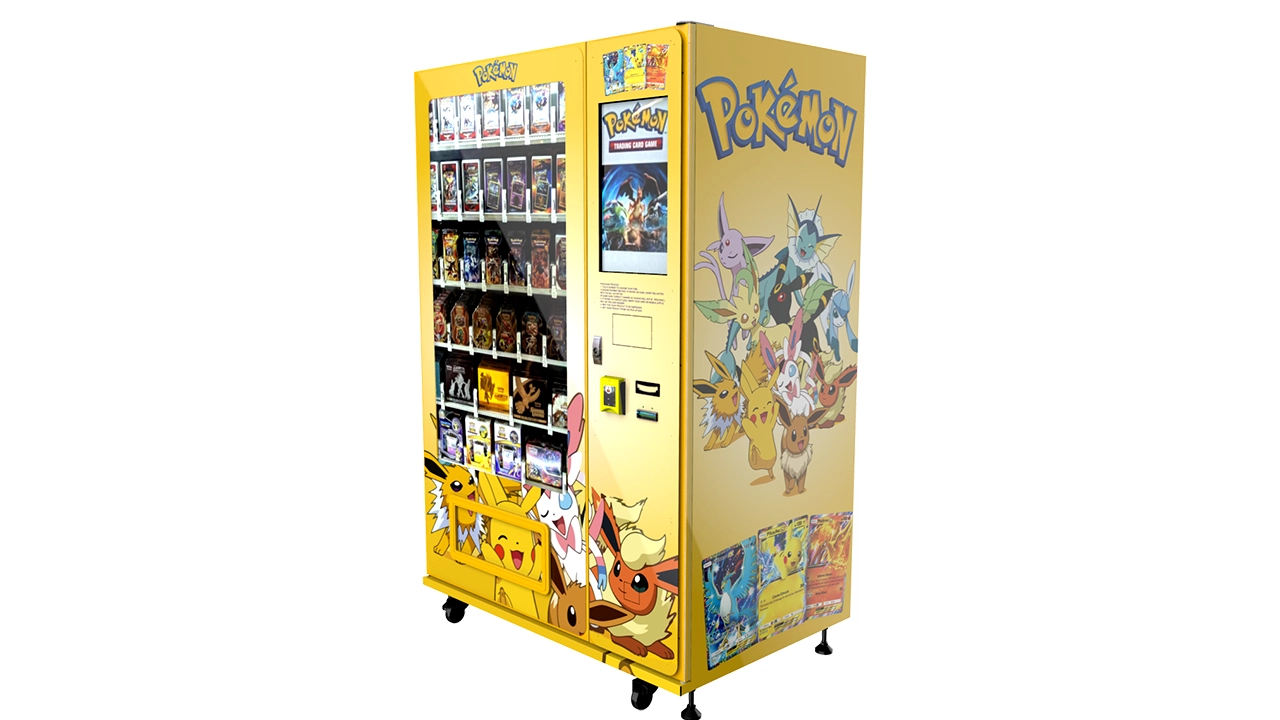
Entry-level machines—usually a smaller cabinet with a basic coil or spiral dispensing mechanism and a 10-inch screen—start around $6,000 to $9,000 if you buy directly from a Chinese manufacturer like Zhongda Smart. These units work, but they’re basic. They handle standard booster packs and blisters well, but they don’t have the visual appeal that drives impulse purchases. Mid-range machines with a 21-inch or 24-inch touchscreen, better lighting, and a more robust dispensing system typically run $10,000 to $15,000. The premium tier—machines with 32-inch displays, multiple dispensing trays, and advanced inventory sensors—sits at $18,000 to $25,000 or more.
I’ve bought machines at every tier, and my advice is simple: don’t underspend on the display. The screen is your salesperson. A machine with a small, dim screen will underperform a larger-screen model even in the same location. I learned this the hard way when I placed a budget unit next to a competitor’s mid-range machine at a local card shop. My machine had better product but weaker visuals, and I consistently lost sales. The customer’s first impression is the screen, not the inventory behind it.
Payment Systems and Software
Modern card machines aren’t cash-only dinosaurs. You need card readers, mobile payment support, and ideally a remote management platform. These add $800 to $2,500 depending on the complexity. Many manufacturers include basic payment integration, but you’ll want to verify that the system supports the payment methods popular in your region—Visa, Mastercard, Apple Pay, Google Pay, and sometimes cash. I’ve seen operators skip the cash acceptor to save money, and that’s usually a mistake. A surprising portion of younger buyers still use cash, especially at events or in lower-income neighborhoods.
Software subscription fees are another recurring cost that catches new operators off guard. Some manufacturers charge $30 to $100 per month for telemetry, remote inventory tracking, and over-the-air price updates. That’s not optional if you want to run efficiently. Without remote monitoring, you’ll drive to locations to check inventory that’s still full, wasting fuel and time. With it, you can adjust prices, see sales data, and get alerts when a tray is empty or a mechanism jams.
Shipping, Installation, and Setup
Shipping a card vending machine from overseas adds $1,500 to $3,500 depending on port, freight forwarder, and whether you need customs brokerage. Domestic units save on shipping but cost more upfront. Installation—which includes positioning, leveling, connecting power, and testing the dispensing mechanism—typically runs $300 to $800 if you hire someone. If you’re handy, you can do it yourself, but don’t underestimate the time. Setting up a new machine properly takes half a day, especially if you’re configuring the payment system and loading initial inventory.
Inventory: The Cost People Forget
The machine is the vessel; the cards are the cargo. Initial inventory for a mid-size card machine runs $3,000 to $6,000 depending on whether you stock booster packs, sealed boxes, or a mix of singles and packs. I’ve seen new operators load a machine with $2,000 in product and then wonder why sales stalled. The issue wasn’t demand—it was selection. A card machine needs depth and variety. If you only have three product types, customers who don’t like those options walk away. You need a spread across price points: $3 to $5 packs, $10 to $15 blisters, and a few premium items for serious collectors.
Beyond the initial load, you need a working capital cushion for restocking. I recommend keeping at least $2,000 to $3,000 in reserve per machine for the first two months. That covers restocking, unexpected repair costs, and the slow period that often hits in the first month after placement.
The Full Cost Picture: A Practical Table
Here’s a table that summarizes the cost ranges I’ve seen across different machine types and configurations. Keep in mind these are real-world estimates from my own routes and conversations with other operators, not official manufacturer pricing.
| Machine Type | Hardware Cost | Payment & Software | Initial Inventory | Total First-Year Investment |
|---|---|---|---|---|
| Basic (10" screen, coil dispenser) | $6,000 – $9,000 | $1,000 – $1,800 | $3,000 – $4,000 | $10,500 – $15,500 |
| Mid-Range (21"–24" touchscreen) | $10,000 – $15,000 | $1,200 – $2,200 | $4,000 – $5,000 | $15,500 – $22,500 |
| Premium (32" touchscreen, multi-tray) | $18,000 – $25,000 | $1,500 – $2,500 | $5,000 – $6,000 | $25,000 – $34,000 |
| Used or Refurbished | $4,000 – $8,000 | $800 – $1,500 | $3,000 – $4,000 | $8,000 – $14,000 |
That table gives you the big picture, but remember: the first-year total is just the entry ticket. Ongoing costs—rent, restocking, maintenance, and payment processing fees—will determine whether that investment turns into profit or just a hobby that eats cash.
Where the Money Comes From: Revenue and Profitability
Now let’s talk about the other side of the equation. A well-placed card vending machine can generate $1,500 to $4,000 in monthly gross revenue. I’ve seen a machine inside a busy hobby shop do $5,000 in a single month during a Pokémon set release, and I’ve seen the same machine model in a laundromat do $400. The difference is location, not the machine.
Gross margin on trading cards is typically 30% to 50% if you buy at wholesale and sell at MSRP. That’s similar to snack vending, but the average transaction value is higher—most card purchases are $5 to $20, whereas snacks average $1.50 to $3. That means fewer transactions to hit the same revenue, which reduces wear and tear and restocking frequency.
However, there’s a catch. Card pricing is volatile. A hot new set can sell out in days, and a set that’s been out for six months might sit in your machine for weeks. You have to manage inventory carefully. I’ve learned to keep about 60% of my machine stocked with current, in-demand products and 40% with evergreen items like standard booster packs that have steady, if unspectacular, sales.
Real Numbers from My Own Routes
I’ll give you two real examples from my own operation to ground this in reality. The first is a success story. I placed a mid-range 24-inch card machine inside a card shop in a mid-sized college town. The shop had steady foot traffic, an active tournament scene, and a social media presence that drove younger customers to the store. The machine cost $13,500 with installation and initial inventory. Monthly gross revenue averaged $3,200, with a gross margin of about 40%. After subtracting the location fee (I paid 15% of gross as a commission), restocking costs, and payment processing fees, I was netting around $1,100 per month. Break-even came at month 11, and the machine has been profitable ever since.
The second example is a failure. I placed a similar machine in a suburban strip mall that had a gym, a dollar store, and a vape shop. The foot traffic looked decent, but it was the wrong crowd. The gym-goers weren’t card collectors, the dollar store shoppers were price-sensitive, and the vape shop customers weren’t interested in Pokémon. Monthly gross revenue never exceeded $600. I pulled the machine after five months, losing about $2,000 on the experiment after accounting for the location fee, restocking, and my time. The lesson wasn’t that card vending doesn’t work—it was that location is everything, and I had ignored the demographic mismatch.
Location: The Single Biggest Factor in Your ROI
When I consult with new operators, I tell them that the machine is 20% of the equation and the location is 80%. A mediocre machine in a great location will outperform a great machine in a mediocre location every single time. So what makes a great location for a trading card vending machine?
First, you need a venue where card collectors already gather. Hobby shops, comic book stores, game cafes, and card tournament venues are the obvious choices. These locations have built-in demand and customers who understand the value of cards. The downside is that you might face competition—either from the store’s own card sales or from another vending machine already on site. In those cases, you have to differentiate on product selection, pricing, or machine features.
Second, consider locations with high foot traffic and a demographic that skews young or geek-culture-friendly. College campuses, entertainment venues, bowling alleys, and family entertainment centers can work. I’ve also seen successful placements in laundromats and grocery stores, but those require more careful product selection—you’re relying on impulse purchases, so the product needs to be recognizable and priced for quick decisions.
Third, think about events. A portable card vending machine can be a great asset at conventions, card shows, and local tournaments. I’ve seen operators pack up their machines and bring them to events, generating $1,000 to $2,000 in a single weekend. That’s not a full-time business model, but it can supplement your fixed locations and help you move slow inventory.
Foot Traffic and Demographic Standards
From my experience, a fixed location needs at least 100 to 150 people passing by per day, with a meaningful portion falling in the 10-to-35 age range. That’s not a hard science—I’ve seen locations with 200 people per day fail because the demographic was wrong, and locations with 80 people per day succeed because the crowd was exactly right. But as a starting point, 100 to 150 daily passersby gives you a reasonable shot at $1,500 to $2,500 in monthly gross revenue.
If you can’t get foot traffic data directly, ask the business owner for their sales volume or observe the location at different times of day. I’ve spent hours sitting in parking lots counting people—it’s tedious, but it beats losing $15,000 on a bad placement. A location that doesn’t generate enough sales will drain your motivation long before it drains your bank account.
Self-Service Kiosk vs. Traditional Vending: What’s the Difference?
Many new operators confuse a card vending machine with a traditional snack machine. The hardware looks similar, but the operating model is different. A traditional vending machine sells consumables that people buy out of habit—soda, chips, candy. A card machine sells discretionary items with a collectible angle. That means your marketing, location selection, and customer engagement need to be different.
A card vending machine is closer to a self-service kiosk than a traditional vending machine. The customer is making a more considered purchase, even if it takes only 30 seconds. They’re looking at the screen, reading product names, maybe checking prices against their phone. The machine needs to feel trustworthy. A scratched screen, a sticky button, or a jammed dispenser will kill your sales faster than a competitor across the street.
That’s why I recommend buying a machine with a touchscreen interface rather than a simple keypad. The touchscreen allows you to display product images, set dynamic pricing, and create a more engaging experience. It also makes it easier to update your inventory—imagine changing a price on a keypad machine versus tapping a few buttons on a screen. The difference is enormous in daily operations.
Buying vs. Leasing vs. Revenue Sharing
New operators often ask whether they should buy, lease, or enter into a revenue-sharing agreement with a location owner. Each model has its place, and I’ve used all three at different stages of my career.
Buying is the most straightforward. You own the asset, you keep all the revenue, and you have the freedom to move the machine if a location underperforms. The downside is the upfront cost and the risk that you’ll make a bad location decision. If you have $10,000 to $20,000 in capital and you’re confident in your location research, buying is the way to go.
Leasing spreads out the cost. Some equipment dealers offer lease-to-own programs with monthly payments of $200 to $400 over three to five years. This reduces your upfront risk but increases your total cost—you’ll pay 20% to 30% more over the lease term compared to buying outright. Leasing also means you don’t own the machine until the final payment, which can complicate moving it to a new location.
Revenue sharing is a hybrid. You place the machine in a location for free, and the location owner takes a percentage of sales—typically 10% to 20%. This works well when you’re confident in the location but don’t want to pay a fixed rent. It also aligns your incentives with the location owner—they want the machine to succeed because it brings them revenue. The downside is that you’re giving up a chunk of your profit, and you have less control over the machine’s placement and visibility within the store.
My rule of thumb: buy if you can, lease if you’re testing a new market, and use revenue sharing only for locations you’re confident about but don’t want to commit to with a fixed rent.
How to Choose a Machine Supplier Without Getting Burned
The vending machine industry has its share of resellers who mark up prices by 50% or more, and it also has manufacturers who sell direct but offer poor after-sales support. I’ve bought from both ends of the spectrum. The key is to ask the right questions before you send a deposit.
First, ask about the dispensing mechanism. Card machines need a mechanism that handles rectangular, relatively flat products without jamming. Spiral coils work for some products but can bend cards or blisters. Look for a machine with a tray-based or pusher-style dispensing system that’s designed specifically for card products. This is where a manufacturer like Zhongda Smart has an advantage—they’ve built machines specifically for card vending, not just adapted snack machines.
Second, ask about software. Can you remotely monitor inventory? Can you update prices over the air? Does the machine support multiple payment methods? If the answer to any of these is “no,” you’re buying a machine that will be obsolete in two years. The automated retail space is moving fast, and customers expect a modern experience.
Third, ask about spare parts and repair support. A machine will break—it’s a matter of when, not if. You need a supplier who can ship spare parts quickly and provide phone or video support. I’ve had machines down for three weeks waiting for a simple sensor from a manufacturer that didn’t prioritize after-sales service. That downtime cost me more than the part was worth.
Fourth, ask for references. Any reputable supplier should be able to connect you with existing customers. Call those customers and ask about their experience—not just with the machine, but with the supplier’s responsiveness. I’ve saved myself from a bad purchase this way more than once.
Maintenance, Repairs, and the Cost of Downtime
Vending machine repair is an unavoidable part of this business. Card machines have moving parts, sensors, and software that occasionally glitch. The most common issues I’ve encountered are jammed dispensers, faulty card readers, and screen calibration problems. Most of these are simple fixes that take 10 to 30 minutes, but you need to be comfortable with basic troubleshooting or have a local technician on call.
Budget for maintenance at roughly 5% to 10% of your gross revenue. That covers replacement parts, occasional technician visits, and software updates. If you’re not handy, factor in a local technician who can respond within 24 to 48 hours. In my experience, a machine that’s down for more than two days loses customers permanently—they don’t come back to check if it’s fixed; they go to a competitor.
One piece of advice I give every new operator: buy a spare parts kit with your machine. It costs $200 to $500 and includes common sensors, belts, and fuses. That small investment can save you weeks of downtime and hundreds of dollars in technician calls.
Restocking and Inventory Management: The Hidden Profit Killer
Restocking is where most operators lose their margin. If you’re driving 30 miles each way to restock a machine that sells $1,500 a month, your fuel and time will eat a significant portion of your profit. The solution is to batch your restocking trips, plan routes efficiently, and use remote monitoring to know exactly what needs restocking before you leave.
I aim to restock each machine every one to two weeks, depending on sales velocity. For a machine doing $2,000 a month, that means a weekly visit of about 30 to 45 minutes. During that visit, I also clean the screen, check the dispensing mechanism, and verify that the payment system is working. A quick visual check can catch problems before they become customer complaints.
Inventory management is another profit lever. You need to track which products sell and which sit. I use a simple spreadsheet—no fancy software—to record sales by product each week. After a month, I know exactly which items to reorder and which to discount or rotate out. This data-driven approach has increased my gross margin by about 5% across my routes, simply by eliminating dead inventory.
Real-World Data: Industry Benchmarks and Trends
To give you a sense of the market, let me share some publicly available data. The global vending machine market was valued at approximately $24.2 billion in 2023 and is projected to grow at a compound annual growth rate of about 6.5% through 2030, according to Statista’s market outlook. The trading card segment is a small but growing slice of that market, driven by the resurgence of Pokémon and sports cards among millennials and Gen Z.
Another useful data point comes from IBISWorld, which reports that the vending machine operator industry in the U.S. generated around $8.5 billion in revenue in 2023, with an average profit margin of about 7.5% (IBISWorld industry report). That margin figure is lower than what a well-run card machine can achieve, but it reflects the average across all vending categories, including low-margin snack and beverage routes.
For small business owners considering this investment, the U.S. Small Business Administration provides general guidance on equipment financing and lease options (SBA loan programs). While they don’t have specific data on card vending machines, the SBA’s equipment loan guidelines apply—you can finance up to 80% of the machine cost with a term of 5 to 10 years.
These figures are useful for context, but they don’t replace local market research. I always tell new operators to spend at least 20 hours observing potential locations before committing. Talk to business owners, count foot traffic, and ask about the customer demographic. The data you collect on the ground is worth more than any industry report.
Common Mistakes I See New Operators Make
Over the years, I’ve watched a lot of people enter this business, and most of them make the same mistakes. Let me walk you through the ones I see most often.
Mistake #1: Buying the Cheapest Machine
The cheapest machine on the market is cheap for a reason. It has a smaller screen, a less reliable dispensing mechanism, and limited payment options. You’ll save $3,000 upfront and lose $10,000 in missed sales over the first year. I’ve made this mistake with a snack machine early in my career, and I’ve seen it repeated by card machine operators. Buy the best machine you can afford, not the cheapest one that fits your budget.
Mistake #2: Ignoring the Location’s Demographics
I already covered this, but it deserves repeating. A card machine in the wrong location is a very expensive paperweight. If you’re not sure about the demographic, ask the business owner about their customers. A card shop owner can tell you exactly who their customers are—age range, spending habits, and what they’re looking for. That information is gold.
Mistake #3: Not Budgeting for Downtime
Machines break. If you don’t have a repair fund or a spare parts kit, one breakdown can wipe out a month of profit. I recommend setting aside 10% of your gross revenue for maintenance and repairs. That might feel like a lot when you’re starting out, but it’s insurance against the inevitable.
Mistake #4: Overpaying for Inventory
New operators often buy inventory at retail prices from distributors who don’t offer wholesale pricing. You need to establish relationships with card distributors who sell at wholesale—typically 20% to 30% below MSRP. If you’re paying retail, you’re leaving money on the table from day one.
Mistake #5: Ignoring the Software
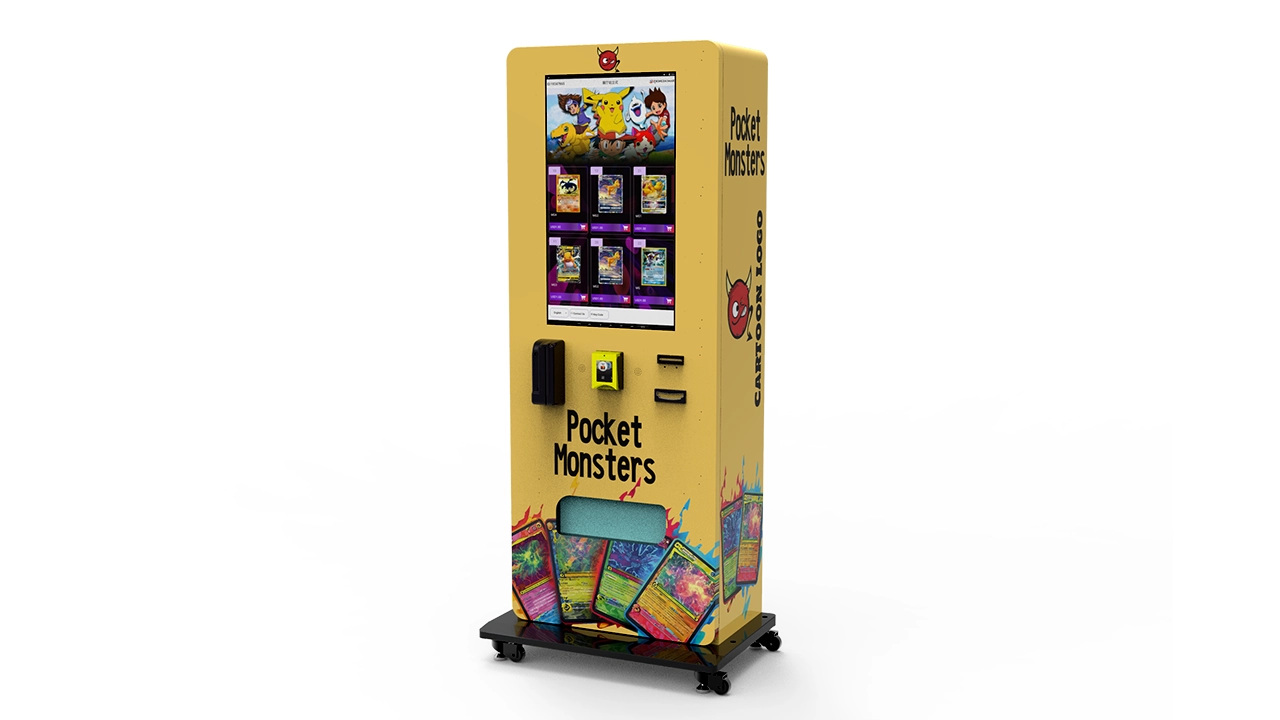
Some operators buy a machine with basic software and think they can manage without remote monitoring. That’s a mistake. Remote monitoring saves you hours of driving, helps you catch issues early, and gives you sales data that informs your restocking decisions. It’s not an optional feature; it’s a core part of running an efficient operation.
How to Evaluate a Potential Location
Let me give you a practical checklist for evaluating a potential location. I’ve refined this over years of trial and error, and it’s saved me from more bad placements than I can count.
- Foot traffic: Count the number of people passing by during peak hours. You want at least 100 per day, but quality matters more than quantity.
- Demographic match: Are the people passing by likely to buy trading cards? Look for younger customers, hobbyists, or people who already shop at card-related stores.
- Competition: Is there another card machine nearby? If so, can you differentiate on product or price? If not, you might have an underserved market.
- Business owner attitude: Does the owner want your machine there? Are they willing to promote it? An enthusiastic owner can boost your sales by 30% or more.
- Accessibility: Is the machine easy to access for restocking? Is there a power outlet nearby? Is the location secure?
- Rent or commission: What’s the financial arrangement? Fixed rent gives you certainty; commission aligns incentives but reduces your profit.
I’ve used this checklist for every placement I’ve made in the last five years, and it’s caught at least two bad locations before I signed a contract. The time you spend evaluating a location is the cheapest insurance you can buy.
Should You Buy New or Used?
Used card vending machines are tempting—you can save 30% to 50% off the new price. But I’ve seen too many operators get burned by used machines that have hidden issues: worn-out sensors, cracked screens, or outdated payment systems that can’t support modern mobile payments. If you’re considering a used machine, have it inspected by a technician before you pay. Ask for a video of the dispensing mechanism in action, and verify that the software is up to date.
That said, I’ve bought used machines that worked perfectly. The key is knowing what to look for. A used machine from a reputable brand with a documented service history is a different risk than a used machine from an unknown manufacturer. If you’re new to this, I’d lean toward buying new for your first machine—you need the manufacturer’s support and warranty while you learn the ropes.
Payment Systems and the Customer Experience
The payment experience is a major part of whether a customer completes a purchase. If the card reader is slow, the touchscreen is unresponsive, or the machine only accepts cash, you’ll lose sales. Modern card machines should support credit cards, debit cards, Apple Pay, Google Pay, and ideally cash. The more payment options you offer, the fewer customers you turn away.
I’ve also learned that the machine’s interface matters. A clean, intuitive screen that shows product images, prices, and available inventory reduces hesitation. Customers don’t want to read a wall of text; they want to see the product and hit “buy.” If your machine’s interface is confusing, you’ll see a high rate of abandoned transactions.
Compliance and Permits: What You Need to Know
Operating a card vending machine is a small business, and it comes with the same regulatory requirements as any retail operation. You’ll need a business license, a seller’s permit for sales tax collection, and possibly a vending license depending on your city or county. The requirements vary by state and municipality, so check with your local government before you buy anything.
In the U.S., the Small Business Administration’s guide to licenses and permits is a good starting point (SBA licenses and permits guide). In Europe, you’ll need to check with your local chamber of commerce or business registry. The process is usually straightforward—a few forms and a modest fee—but skipping it can result in fines or the removal of your machine.
One thing to note: trading cards are not regulated like food or medicine, but you should still keep records of your sales for tax purposes. The IRS (or your local tax authority) will want to see your revenue and expenses, so keep clean books from day one.
Should You Run This as a Full-Time Business?
Card vending can be a full-time business if you scale it properly. I know operators who run 10 to 20 machines across multiple cities and earn a solid income. But that requires a systematic approach: standardized machine setups, efficient restocking routes, and strong relationships with suppliers and location owners. It’s not something you can do casually on weekends and expect to make a living.
If you’re starting part-time, I’d recommend beginning with one or two machines and learning the operational rhythm before scaling. The learning curve is real, and the mistakes you make with your first machine will be valuable lessons for your second and third. Once you’ve found a repeatable model—a location type that works, a product mix that sells, and a restocking schedule that fits your life—then you can think about expansion.
My Final Take on the Investment
So, how much does a trading card vending machine cost? The honest answer is $10,000 to $30,000 to get started, and then an ongoing commitment of time, attention, and working capital. It’s not a passive income scheme, and it’s not a guaranteed money-maker. But if you approach it with the right mindset—treating it as a real retail business, not a novelty—it can be a profitable addition to your portfolio.
I’ve made my share of mistakes in this industry, and I’ve learned from every one. The operators who succeed are the ones who do their homework, choose locations with care, and stay on top of maintenance and inventory. If you’re willing to put in that effort, card vending can be a rewarding business. If you’re looking for a set-and-forget investment, this isn’t it.
Disclaimer: The figures in this article are based on my personal experience and industry observations. Actual costs and revenue will vary depending on location, market conditions, machine configuration, and operational efficiency. This content is for informational purposes and does not constitute financial advice.
Frequently Asked Questions
Are trading card vending machines profitable?
Yes, they can be profitable if placed in the right location and managed properly. In my experience, a well-placed machine can gross $1,500 to $4,000 per month with a gross margin of 30% to 50%. However, profitability depends heavily on foot traffic, product selection, and operational efficiency. A bad location will lose money regardless of how good the machine is.
How much does a trading card vending machine cost?
A new machine costs between $8,000 and $25,000 depending on screen size, dispensing mechanism, and payment features. Used machines start around $4,000, but they carry more risk. The total first-year investment, including inventory and installation, typically ranges from $10,000 to $30,000.
How long does it take to break even?
With a good location and consistent sales, break-even typically happens between 9 and 18 months. My own experience has ranged from 9 months in a high-traffic card shop to over 18 months in a slower location. The faster you can reach $2,000+ in monthly gross revenue, the sooner you’ll recover your investment.
Should a beginner buy or lease a card vending machine?
If you have the capital, buying is usually better because you own the asset and keep all the revenue. Leasing reduces upfront costs but increases total cost over time. For a first machine, I’d recommend buying a mid-range unit from a reputable manufacturer—it gives you the best balance of quality and support.
Where is the best place to put a card vending machine?
The best locations are hobby shops, card stores, comic book shops, game cafes, and entertainment venues that attract younger customers. College campuses and family entertainment centers can also work. Avoid locations where the demographic doesn’t match your product—a gym or a laundromat is usually a poor fit unless you have strong impulse-buy products.
What permits do I need to operate a card vending machine?
You’ll need a business license and a seller’s permit for sales tax collection. Some cities require a specific vending machine permit. Check with your local business office or the SBA’s licenses and permits guide to understand what applies in your area.
How do I choose a reliable machine supplier?
Ask about the dispensing mechanism, software capabilities, spare parts availability, and after-sales support. Request references and call them. A manufacturer like Zhongda Smart that specializes in card vending machines is a good starting point, but always verify their reputation with existing customers.
What happens if the machine breaks down?
You’ll need to troubleshoot the issue, replace the faulty part, or call a technician. Most common issues—jammed dispensers, faulty sensors, or card reader problems—are fixable in 10 to 30 minutes with basic tools. Keep a spare parts kit on hand and budget 5% to 10% of gross revenue for maintenance.
How can I reduce restocking and maintenance costs?
Use remote monitoring software to check inventory levels before driving to a location. Batch restocking visits and plan efficient routes. Track sales data to identify slow-moving products and rotate them out before they become dead inventory. A little planning goes a long way in reducing operational costs.