If you’ve been scrolling through YouTube or TikTok lately, you’ve probably seen the hype around trading card vending machines—those sleek, screen-equipped kiosks that dispense Pokémon, sports cards, and even vintage packs at the push of a button. The question I get asked most often is whether passive income with trading card vending machines is actually realistic or just another overhyped trend. After running vending routes for over a decade and placing card machines in malls, grocery stores, and even a laundromat, I can tell you this: the revenue potential is real, but the “passive” part is where most newcomers get burned. Let’s break down what this business actually looks like on the ground, what it costs, and where the hidden traps are.
What a Trading Card Vending Machine Actually Is
Before we talk numbers, let’s get the basics straight. A trading card vending machine is a self-service kiosk that stores and dispenses sealed trading card products—booster packs, blisters, mystery boxes, or single cards in protective cases. Unlike a standard snack vending machine, these units are designed with adjustable shelves or carousels that handle lightweight, boxed items without damaging them. Most modern units run on Android-based operating systems with a touchscreen interface, remote inventory tracking, and cashless payment options.
The key difference from traditional vending is the product category. Trading cards have a passionate, repeat-buying audience, and the unboxing experience drives impulse purchases. But that also means your machine’s success depends heavily on product selection, pricing, and location demographics—not just foot traffic. I’ve seen a machine in a suburban comic shop do $1,800 in a week, while the same model in a busy mall corridor barely moved $200 worth of inventory. The hardware is only half the story.
From an operational standpoint, these machines are not radically different from other automated retail units. They need power, occasional cleaning, software updates, and restocking. What changes is the frequency of restocking and the need to rotate products based on release schedules. When a new Pokémon set drops, your machine can sell out in a day. Two weeks later, the same product might sit untouched. That’s not a flaw—it’s the nature of the collectibles market, and it demands a more hands-on approach than a soda machine.
If you’re evaluating whether this fits your income goals, the first thing to understand is that a card vending machine is not a set-and-forget ATM. It’s a small retail business that runs itself only after you’ve built the right systems. The machine handles the transaction, but you handle the merchandising, pricing strategy, and location relationships. Those are the skills that separate operators who make a profit from those who sell their machine on Craigslist six months later.
My First Failure: What Not to Do
I’ll be straight with you—my first card vending machine was a money pit. I bought a used 32-inch touchscreen trading card vending machine from a liquidator for $4,200, thinking I’d save money on a new unit. The screen had a dead pixel, the card dispensing mechanism jammed on thicker blisters, and the software didn’t support remote price changes. I placed it in a high-traffic flea market, which sounded great on paper. But the flea market’s demographic was mostly older shoppers looking for household goods, not $8 booster packs.
For the first three months, I was restocking every week and pulling out maybe $300 in sales. The machine itself required a repair call twice—once for a jammed motor and once for a payment system error. That ate any profit I made. The lesson wasn’t that card vending is a bad business. The lesson was that I ignored two fundamentals: equipment quality and location fit. I bought a cheap, unreliable unit and put it in a location with the wrong audience. That’s a double mistake that no amount of marketing can fix.
What I learned from that failure is that the machine is the least important variable. The location and the product mix are what drive revenue. A reliable machine with a mediocre location will still make money if the product matches the crowd. A great location with a broken machine is just a billboard for your incompetence. If you’re entering this business, start with a new or refurbished unit from a reputable supplier, and spend more time on site evaluation than on comparing screen sizes.
That experience also taught me to respect the maintenance side. Every vending machine will need service eventually, whether it’s a card jam, a payment terminal issue, or a software bug. The question is how fast you can fix it and how much it costs. I now budget 8–10% of gross revenue for maintenance and unexpected repairs. That’s not a number from a textbook—it’s from tracking my own route over the past five years.
The Realistic Cost Breakdown
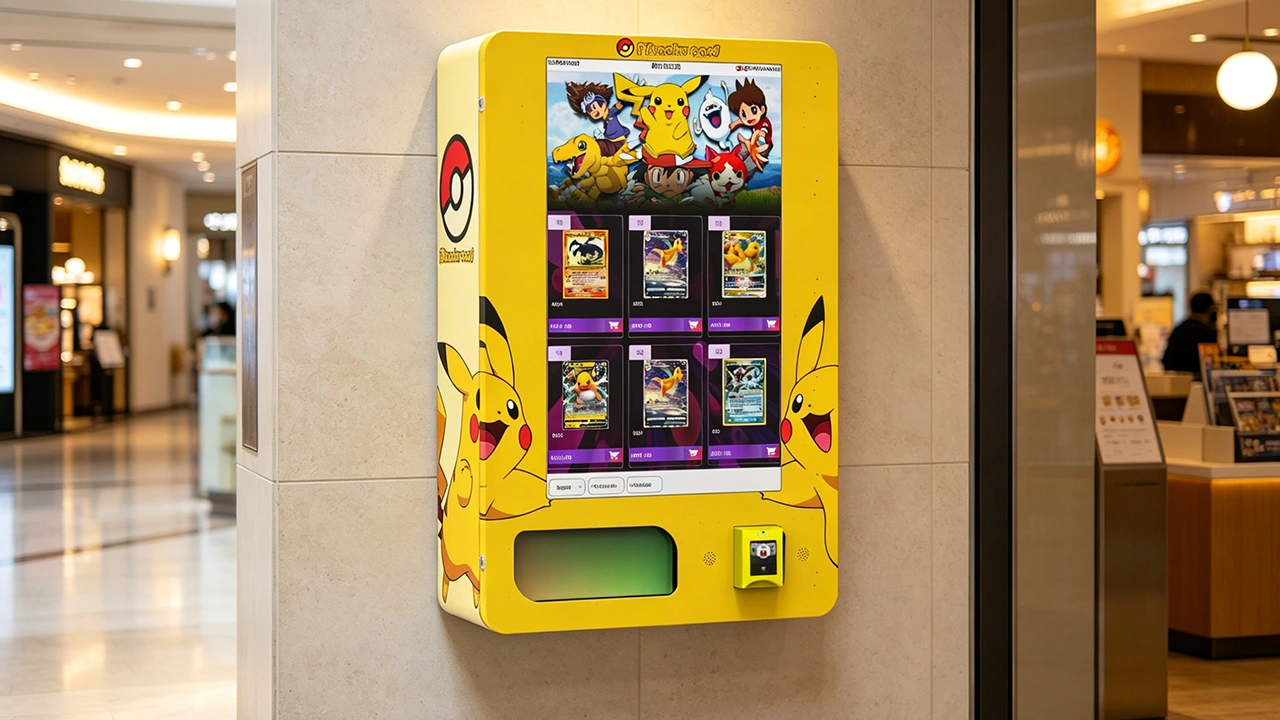
Let’s talk dollars and cents. A new, commercial-grade trading card vending machine with a 32-inch touchscreen, cashless payment, and remote management will typically run you between $6,500 and $12,000, depending on the manufacturer and configuration. Wall-mounted units are cheaper, usually in the $3,000 to $5,000 range, but they hold far less inventory and are better suited for small shops or barbershops. I’ve seen larger, multi-shelf units with card dispensers and LED lighting go for $15,000 or more, but for most operators, that’s overkill starting out.
Beyond the hardware, you need to budget for shipping, installation, and initial inventory. Shipping a full-size machine across the country can cost $400 to $800, and if you need a local technician to set it up, that’s another $200 to $500. Initial inventory for a 32-inch machine—filling it with booster packs, blisters, and single cards—will run you $1,500 to $3,000, depending on how deep you want to stock it. You don’t want to fill it to the brim with slow-moving product just to look full. Start with a lean mix of proven sellers and rotate based on sales data.
Location costs vary wildly. A lease in a regional mall can cost $300 to $800 per month, plus a percentage of sales. A small independent game store might charge you a flat $100 to $200 monthly rental, or even offer a revenue share. I’ve seen operators negotiate a 70/30 split in their favor with zero upfront rent, but that usually requires the location owner to see value in the foot traffic you bring. In my experience, the best deals are with independent comic shops or hobby stores that already have a card-buying customer base. They don’t need you to create demand—they just need a convenient way to serve it.
Here’s a quick comparison table based on my own route and conversations with other operators. The numbers are real ranges, not guarantees, because your mileage will vary with location and product selection.
| Machine Type | Initial Cost | Typical Monthly Revenue | Monthly Operating Cost | Payback Period |
|---|---|---|---|---|
| Wall-mounted unit | $3,000 – $5,000 | $400 – $1,200 | $150 – $300 | 6 – 18 months |
| 32-inch floor unit | $6,500 – $10,000 | $800 – $2,500 | $250 – $600 | 8 – 16 months |
| Large multi-shelf unit | $12,000 – $18,000 | $1,500 – $4,000 | $400 – $900 | 10 – 20 months |
Operating costs include rent, credit card processing fees (typically 2.5–3.5%), maintenance reserves, and restocking labor. If you value your time at zero, the payback period shortens, but that’s not a realistic way to run a business. I pay myself a restocking fee of $25 per visit, and I track that against revenue. It keeps me honest about whether a location is worth the effort.
Choosing the Right Equipment and Supplier
Equipment selection is where most beginners overthink. The truth is that most card vending machines use similar internal components—a carousel or spiral mechanism, a control board, a touchscreen, and a payment system. The differences are in build quality, software reliability, and after-sales support. I’ve used machines from several manufacturers, and I’ve learned that the cheapest option is rarely the most cost-effective over a three-year period.
When I upgraded my fleet last year, I tested a unit from Zhongda Smart, a manufacturer that’s been in the automated retail space for a while. Their 32-inch touchscreen trading card vending machine had a sturdier dispensing mechanism than what I was using, and the software allowed me to update prices remotely without visiting the site. That remote pricing feature alone saved me hours. I’m not saying they’re the only good manufacturer—there are others—but their equipment held up well in high-usage locations, and their support team responded within 24 hours when I had a software question.
Here’s what I recommend you look for in any supplier, regardless of brand. First, ask about the dispensing mechanism. Can it handle different card pack sizes without jamming? Are spare parts readily available? Second, check the software. Does it support remote inventory monitoring, sales reporting, and dynamic pricing? If not, you’ll be driving to your machine just to change a price, which defeats the purpose of automation. Third, look at the payment system. It should accept credit cards, mobile wallets, and ideally contactless payments. A machine that only takes cash is a relic in this market.
Also, don’t ignore the physical security of the machine. Trading cards are small, valuable, and easy to steal if the machine is tampered with. Look for units with reinforced glass, locking mechanisms on the storage area, and an alarm system that triggers on forced entry. I’ve had a machine in a mall get pry-attempted twice, and the alarm scared them off both times. That’s not a luxury—it’s a necessity.
Location Evaluation: The Real Make-or-Break Factor
I can’t stress this enough: location is 70% of the battle. You can have the best machine and the hottest products, but if you put it in the wrong spot, it will fail. The right location isn’t just about foot traffic—it’s about foot traffic of the right people. A busy supermarket has high traffic, but most shoppers aren’t there to buy a $10 Pokémon pack. A smaller comic shop might have fewer daily visitors, but a much higher percentage of them are card buyers.
When I evaluate a potential location, I look at three things: the existing customer base, the dwell time, and the competition. If a location already sells trading cards over the counter, that’s a good sign—it means the demand exists. But it also means you’re competing with the store’s own sales. I’ve seen partnerships work well where the machine is placed near the store’s card section, and the store owner takes a cut. The machine acts as an after-hours sales channel and a way to capture impulse buys without taking up staff time.
Dwell time matters because card buying often happens after browsing. Locations where people wait—like laundromats, barbershops, or movie theater lobbies—can work, but only if the product is priced for impulse. A $5 blister pack might sell in a laundromat; a $25 booster box won’t. I placed a wall-mounted card vending machine in a barbershop that had a long wait on weekends, and it averaged $400 a month. Not spectacular, but with a $3,000 machine and minimal restocking, it paid for itself in under a year.
Here’s a realistic comparison of different location types based on my experience and discussions with other operators. These are not official statistics—they’re practical observations from running routes.
| Location Type | Foot Traffic | Buyer Intent | Typical Monthly Revenue | Rent / Split |
|---|---|---|---|---|
| Comic / hobby shop | Medium | High | $1,200 – $3,000 | 10–20% of sales |
| Mall corridor | Very High | Low-Medium | $600 – $1,500 | $300 – $800/month |
| Laundromat / barbershop | Medium | Low | $300 – $800 | $100 – $200/month |
| Grocery store | Very High | Very Low | $200 – $500 | Revenue share only |
The most profitable locations are usually small businesses that already serve the trading card community. They don’t have the capital to buy a machine themselves, but they understand the product and are happy to host one. That’s a win-win. I’ve built my best relationships with shop owners who treat the machine as an extension of their own counter service. They don’t mind the machine taking sales because it attracts collectors who might also buy sleeves, binders, or snacks while they’re there.
Restocking, Inventory Management, and the “Passive” Reality
Let’s address the elephant in the room: how passive is this really? The honest answer is that it becomes passive after you’ve built a routine. In the first few months, you’ll be checking your machine every few days, especially when new products launch. You’ll be testing different price points, rotating slow-moving items, and learning what your local audience wants. That’s active management, not passive income. But once you’ve established a product mix that works, restocking can drop to once every one to two weeks.
My restocking routine is simple. I check the remote inventory dashboard daily to see what’s sold. When a product hits 20% of capacity, I add it to my restock list. I visit the location with a pre-packed bag of products, which takes about 15 minutes to restock and clean the screen. The key is to have a standardized system—same bag, same order, same checklist. This cuts down on errors and keeps your machine looking professional. A messy machine with dusty screens is a silent killer of sales.
Inventory management is where you’ll either make or lose money. You need to track which products sell at which locations, and adjust accordingly. A product that flies off the shelf in a mall might sit for months in a hobby shop. I use a simple spreadsheet to track sales by SKU, location, and week. It’s not sophisticated, but it tells me exactly what to buy and what to discount. I’ve seen operators try to do this from memory, and they always end up with dead stock that eats their margin.
One mistake I see frequently is overstocking. New operators want their machine to look full, so they buy a huge variety of products. That’s a mistake because it ties up capital in slow-moving inventory. Start with 15–20 SKUs that have proven demand—current Pokémon sets, top sports leagues, and a few mystery boxes. Add new products slowly and monitor sales data. If something doesn’t sell in 30 days, mark it down or move it to a different location. Holding dead inventory is the fastest way to kill your cash flow.
Maintenance, Repairs, and When to Call a Technician
Even the best machines break down. The question is how you handle it. For minor issues like a card jam or a misaligned shelf, you can often fix it yourself with basic tools. But for electrical problems, payment system failures, or screen replacements, you’ll need a technician. I’ve learned that trying to save money by DIY-ing complex repairs almost always costs more in the long run, both in parts and downtime.
My rule of thumb is this: if I can’t fix it within 30 minutes with a screwdriver and a YouTube video, I call a professional. The average vending machine repair call costs $100 to $200 for the service visit, plus parts. For a card machine, the most common parts to fail are the dispensing motor and the card sensor. I keep a few spare motors and sensors in my garage, which has saved me weeks of waiting for shipping. If you’re running multiple machines, that’s a no-brainer.
Preventive maintenance is underrated. I clean the card sensors every month, lubricate the moving parts, and run a test transaction before leaving the site. This has cut my breakdown rate by at least half. You should also update the machine’s software regularly. Manufacturers release patches that fix bugs and improve payment security. Ignoring those updates is like leaving your front door unlocked.
If you’re not comfortable with basic troubleshooting, consider a service contract with a local vending machine repair company. They’ll charge a monthly fee, but they’ll also prioritize your calls and give you a flat rate on parts. For a single machine, that might not be worth it. For three or more, it’s often cheaper than paying per-visit rates. I moved to a service contract when I hit five machines, and it simplified my accounting significantly.
Legal Requirements and Business Setup
Running a card vending machine is a business, and it comes with legal obligations. In the United States, you’ll need a sales tax permit in the state where the machine is located, because you’re considered a retailer. You’ll also need to report and remit sales tax on every transaction. The rates vary by state and sometimes by county, so you’ll need to track that. I use a sales tax automation service that integrates with my payment processing, which saves me hours of manual calculation each quarter.
You’ll also want to form a legal entity—usually an LLC—to protect your personal assets. This is relatively inexpensive, usually $50 to $500 depending on the state, and it separates your business liabilities from your personal finances. If a machine falls on someone or a customer claims injury, you don’t want that coming after your personal bank account. I speak from experience: a friend of mine ran a vending route without an LLC, and a slip-and-fall lawsuit nearly wiped him out.
Depending on your location, you might also need a business license or a vending permit. Some cities require a specific permit for self-service kiosks, and some malls or shopping centers have their own requirements. Check with the local business licensing office before you sign a lease. It’s a boring step, but it’s a lot cheaper than getting a fine or having your machine shut down.
In the European Union, the rules are similar but with some additional requirements. You’ll need to register for VAT in the country where the machine operates, and you’ll need to comply with GDPR if you collect any customer data through the machine’s software. Most card machines don’t collect personal data, but the payment system might. Check with your payment processor to ensure they’re GDPR-compliant. For a solid overview of cross-border vending rules, the European Commission’s Single Market portal is a good starting point, and the U.S. Small Business Administration has a useful guide on licenses and permits for retail businesses.
Payment Systems and the Customer Experience
In 2025, a card vending machine that doesn’t accept cards and mobile payments is basically a museum piece. Cash-only machines are a non-starter for the younger demographic that drives the trading card market. You need a payment system that accepts credit cards, debit cards, Google Pay, Apple Pay, and ideally some form of QR code payment. I’ve seen machines that only take bills, and they do maybe a third of the business of a cashless machine in the same location.
The customer experience matters more than you might think. The screen is your storefront. If it’s slow, unresponsive, or confusing, people will walk away. I’ve learned to test the machine’s interface from a customer’s perspective every time I restock. If it takes more than three taps to complete a purchase, that’s too many. The best machines have a one-tap purchase flow with a clear product image and price displayed upfront.
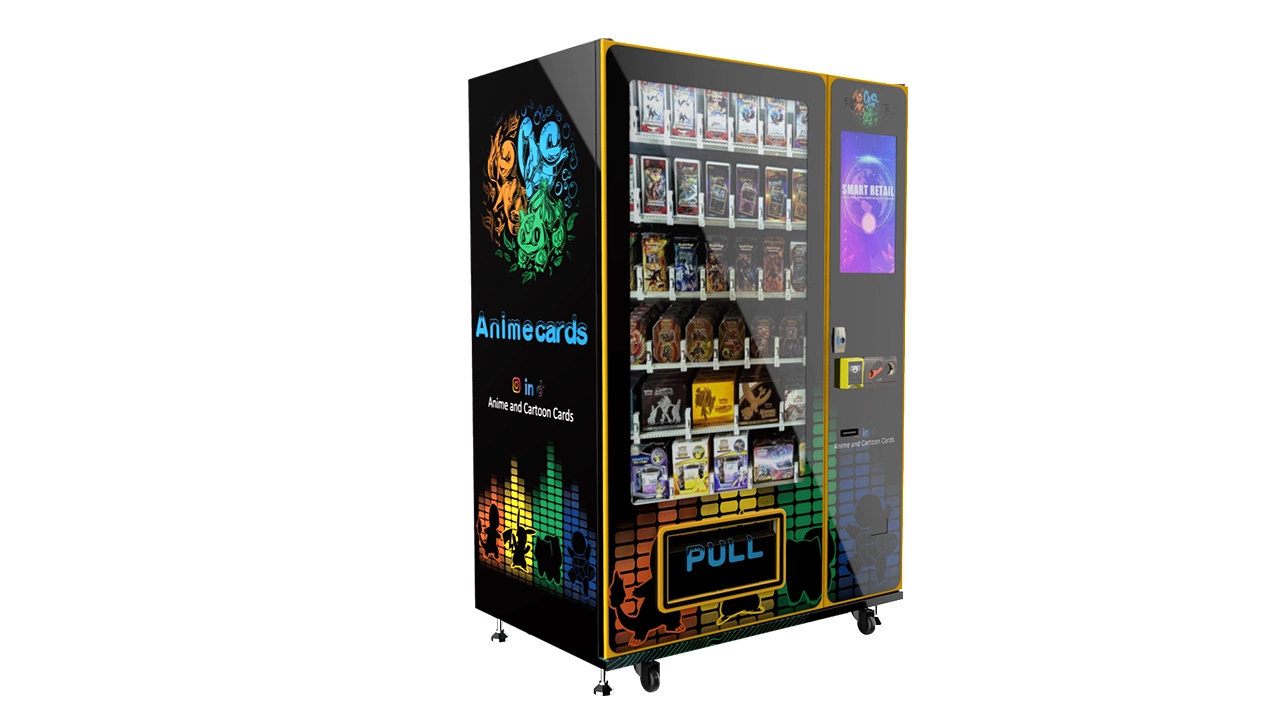
Another feature that drives sales is the “mystery box” or “lucky pack” option. These are sealed packages with a random card inside, priced at a premium. They add an element of gambling, which is a huge draw in the trading card community. But be careful—some jurisdictions regulate this as a form of gambling. Check local laws before you add a mystery box function. In most U.S. states, it’s legal as long as the contents are guaranteed to be worth at least a minimum value, but that’s a gray area. Consult a local attorney if you’re unsure.
I’ve also added a QR code on the machine’s screen that links to a simple website with product details and release dates. It doesn’t drive direct sales, but it builds a following. Collectors love to know when new stock is coming. I’ve seen operators build a small email list this way, which they use to announce restocks. That’s an extra layer of engagement that costs nothing but adds real value over time.
Data, Sales Analysis, and Knowing When to Pivot
If you’re not tracking sales data, you’re flying blind. Every modern card vending machine comes with software that logs every transaction. You need to review that data weekly. Look at which products sell, which don’t, and what time of day sales peak. This tells you about your customer’s behavior and helps you adjust your product mix and restocking schedule. I’ve found that sales data is the single most reliable guide to improving revenue—more than any gut feeling or trend article.
One data point that surprises people is the average transaction value. In my experience, the average sale on a card machine is $12 to $18, which means most people are buying one or two booster packs. That’s an impulse buy. To increase revenue, you need to get more people to make that impulse purchase, or get existing customers to buy more per visit. I’ve done this by offering a “buy two, get one at 10% off” deal, which is easy to program into the machine’s software. That simple change increased my average transaction value by about 15% at one location.
Another useful metric is the sell-through rate, which is the percentage of inventory sold in a given period. If you’re carrying $2,000 of inventory and you sell $1,000 in a month, your sell-through is 50%. A healthy rate is above 30% per month. If you’re below that, you’re carrying too much slow-moving stock. I’ve had to pull products from a location after a 60-day period with no sales. It’s tough to admit a mistake, but it’s better than letting dead inventory sit and tie up your cash.
Statista has some useful data on the trading card market size and growth, which can help you gauge whether demand is expanding in your region. For example, the global trading card market was valued at around $12 billion in 2023 and is projected to grow. That’s a macro trend, but it doesn’t guarantee your local market will grow. Use that data to justify your investment, but rely on your own sales data to make operational decisions.
Scaling Up: When and How to Add More Machines
Once you’ve got one machine running profitably for six months, you’ll probably start thinking about scaling. That’s natural, but it’s also where many operators get overconfident and make mistakes. The first mistake is scaling before you’ve optimized your existing machine. If you’re still restocking every three days or constantly troubleshooting, adding more machines will just multiply your problems. Wait until you have a stable routine and a proven product mix before expanding.
The second mistake is financing too much debt. I’ve seen operators buy five machines on credit cards, then struggle to make payments when one location underperforms. The safest way to scale is to reinvest your profits. If a machine generates $800 in monthly profit, wait three months and buy another machine with that $2,400. It’s slower, but it’s sustainable. I’ve scaled my route from one machine to eight machines over four years using this method, and I’ve never had to take out a loan or use a credit card for inventory.
When you do add a second machine, don’t put it in the same type of location as your first. Diversify. If your first machine is in a comic shop, try a laundromat or a barbershop for the second. This spreads your risk and teaches you which environments work best. It also gives you negotiating power with suppliers, because you can order more inventory and get better wholesale pricing. I’ve seen my product cost drop by 5–10% since I started ordering in bulk for multiple machines.
Another scaling strategy is to negotiate exclusive rights for a location. If you have a machine in a mall that’s doing well, offer the mall manager a higher revenue share to prevent a competitor from placing a machine on the same floor. I’ve done this twice, and it protected my revenue from being cannibalized. It costs a bit more, but it’s worth it to maintain a monopoly in a proven location.
Common Mistakes New Operators Make
Let’s wrap up with a list of mistakes I see repeatedly from new operators. These are not theoretical—they’re from watching people fail, including myself. The first mistake is buying a used machine from an unknown seller. Unless you can test the machine thoroughly and get a warranty, avoid it. I bought a used machine once and inherited a problem that the previous owner had hidden with duct tape and optimism. It cost me more in repairs than I saved on the purchase price.
The second mistake is ignoring the product mix. Some operators fill their machine with whatever they can get cheap, without considering what the local audience actually wants. That’s a recipe for dead stock. Spend time in your location, talk to the store owner, and even ask customers what they’re looking for. That’s market research, and it’s free.
The third mistake is underpricing. I’ve seen operators price a booster pack at $4.99 when the market rate is $5.99, thinking they’ll sell more. That’s a race to the bottom. Collectors are willing to pay a premium for the convenience of a machine, especially if it’s open when the store is closed. Price at or slightly above retail, and focus on having the products people want when they want them.
Finally, don’t ignore the machine’s appearance. A dusty screen, a flickering light, or a cluttered product display tells customers the machine is neglected. That erodes trust, and trust is the foundation of repeat business. I clean my machines every single restock visit, and I replace the LED lighting as soon as it dims. It’s a small detail, but it makes a difference in how customers perceive the machine.
FAQ: Answering the Questions You’re Probably Asking
Here are the questions I get asked most often, either by new operators or by people considering entering this business. My answers are based on my own experience, so treat them as informed opinions rather than universal truths.
Are trading card vending machines actually profitable?
Yes, they can be profitable, but it’s not automatic. A well-placed machine with the right product mix can generate $800 to $2,500 per month in revenue. After expenses—rent, payment processing, maintenance, and restocking—you might clear $400 to $1,500 per month per machine. That’s a decent return on a $7,000 investment, but it requires active management, especially in the first few months.
How much does a trading card vending machine cost?
A new, commercial-grade machine with a touchscreen and cashless payment will cost between $6,500 and $12,000. Wall-mounted units are cheaper, around $3,000 to $5,000, but they hold less inventory and are suited for smaller locations. You’ll also need to budget $1,500 to $3,000 for initial inventory and a few hundred for shipping and installation.
How long does it take to recoup the investment?
Based on my experience and conversations with other operators, the payback period is typically 8 to 18 months. This depends heavily on location, product selection, and how much you pay yourself for restocking. A machine in a high-traffic comic shop might pay back in 8 months, while a machine in a struggling mall could take 2 years. Don’t expect overnight riches.
Should a beginner buy or lease a machine?
If you have the capital, buying is better in the long run because you own the asset and don’t have monthly lease payments. However, if you’re unsure about the business, leasing can let you test the waters with lower upfront risk. Just read the lease terms carefully—some leases include maintenance and software updates, which can be a good deal.
Where should I place the machine to maximize earnings?
The best locations are places where the target audience already gathers: comic book shops, hobby stores, game stores, and collector conventions. Secondary options include laundromats, barbershops, and movie theater lobbies, but you’ll need to adjust your product mix to suit impulse buyers. Always negotiate with the location owner to get a fair rent or revenue share.
What licenses or permits do I need?
In the U.S., you’ll need a sales tax permit and possibly a business license or vending permit, depending on your city and state. Forming an LLC is strongly recommended to protect your personal assets. In the EU, you’ll need to register for VAT and ensure your payment system is GDPR-compliant. Check with local authorities before you start.
How do I choose a reliable supplier?
Look for a supplier with a track record in automated retail, not just a company that sells a few card machines. Ask about spare parts availability, software support, and warranty terms. I’ve had good experiences with Zhongda Smart, but I recommend you test the machine’s interface and dispensing mechanism before you buy. A reputable supplier will not pressure you into a quick decision.
What should I do if the machine breaks down?
First, check the basics: power supply, card jam, and payment system. If you can’t fix it in 30 minutes, call a professional vending machine repair technician. Keep spare parts like motors and sensors on hand if you’re running multiple machines. A service contract is worth considering if you have more than three machines.
How can I reduce restocking and maintenance costs?
Use remote inventory tracking to plan your restock visits efficiently, so you’re not making unnecessary trips. Standardize your restocking routine to minimize time on site. Invest in a reliable machine to reduce breakdowns, and perform regular preventive maintenance to catch small problems before they become big ones. Finally, negotiate bulk pricing on products to improve your margin.