If you are looking into remote management software for trading card vending machines because you are tired of driving to a location only to find a jammed card dispenser or an empty bill stack, you are asking the right question. After a decade of running automated retail in Europe and North America, I can tell you that the hardware is only half the battle. The real profit margin lives in how efficiently you monitor, restock, and troubleshoot from a distance. The operators who treat a card vending machine like a set-and-forget vending unit lose money within six months. The ones who use telemetry, remote diagnostics, and data-driven restock schedules are the ones who scale past five locations without hiring three extra part-timers. This guide covers what actually works, what is overhyped, and where the hidden costs show up.
Why Remote Management Became Non-Negotiable in Card Vending
When I placed my first trading card vending machine in 2016, I did not have any remote software. I was driving 40 minutes round trip twice a week to check inventory levels and clear card jams. That machine did okay, but the labor cost ate almost 18 percent of gross revenue. Compare that to my current setup where a wall-mounted card vending machine reports its own stock levels, cash status, and error codes directly to my phone. The difference is not a small improvement; it is the difference between treating this as a side hobby and treating it as a real business.
The card vending niche is unique compared to snack vending. Each SKU is high value, often between three and twenty dollars per pack, and the demand is heavily influenced by release dates. If you miss the first three days of a new Pokémon or sports card release because you didn’t know you were low on stock, you lose the highest margin sales window. Remote monitoring lets you see that dip in inventory in real time and adjust your schedule around a specific product drop instead of guessing.
I have seen operators burn out because they treat every machine equally. A machine in a comic shop might need restocking every four days, while one in a bowling alley might go ten days. Without remote data, you are either over-servicing the slow location or under-servicing the hot one. Remote management software gives you the visibility to build a route that makes sense.
The Real Cost Breakdown You Should Expect
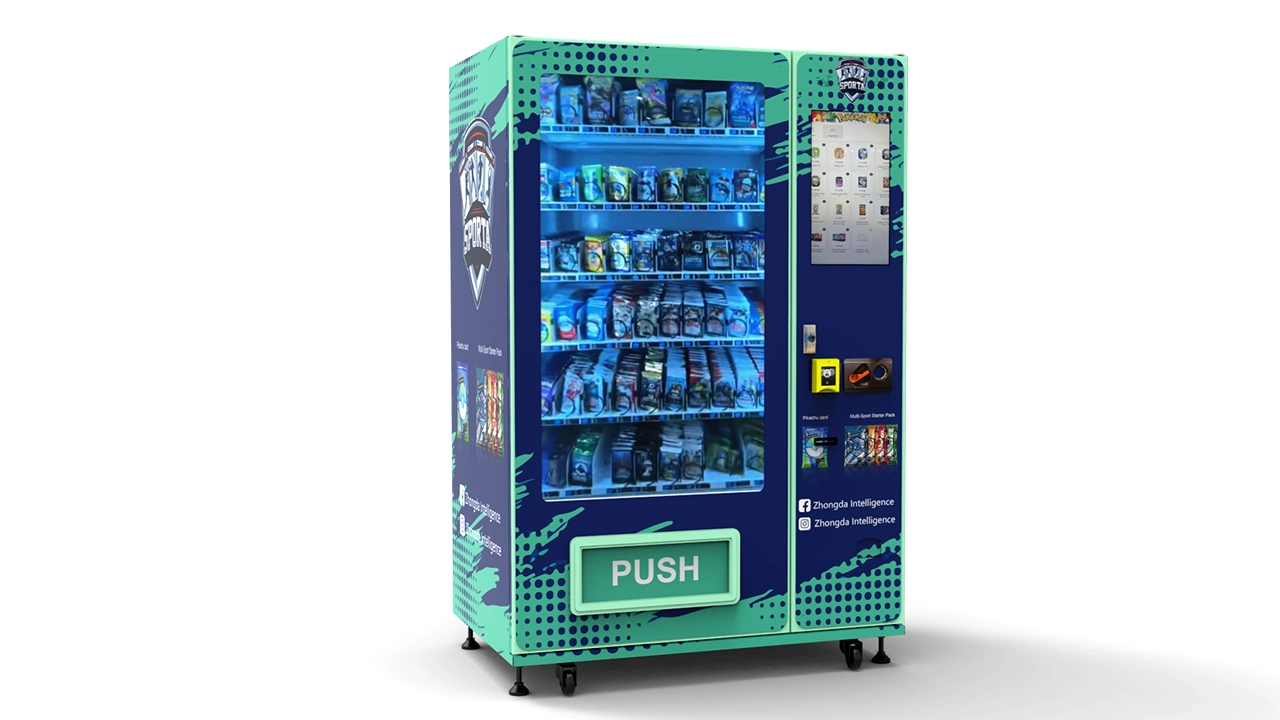
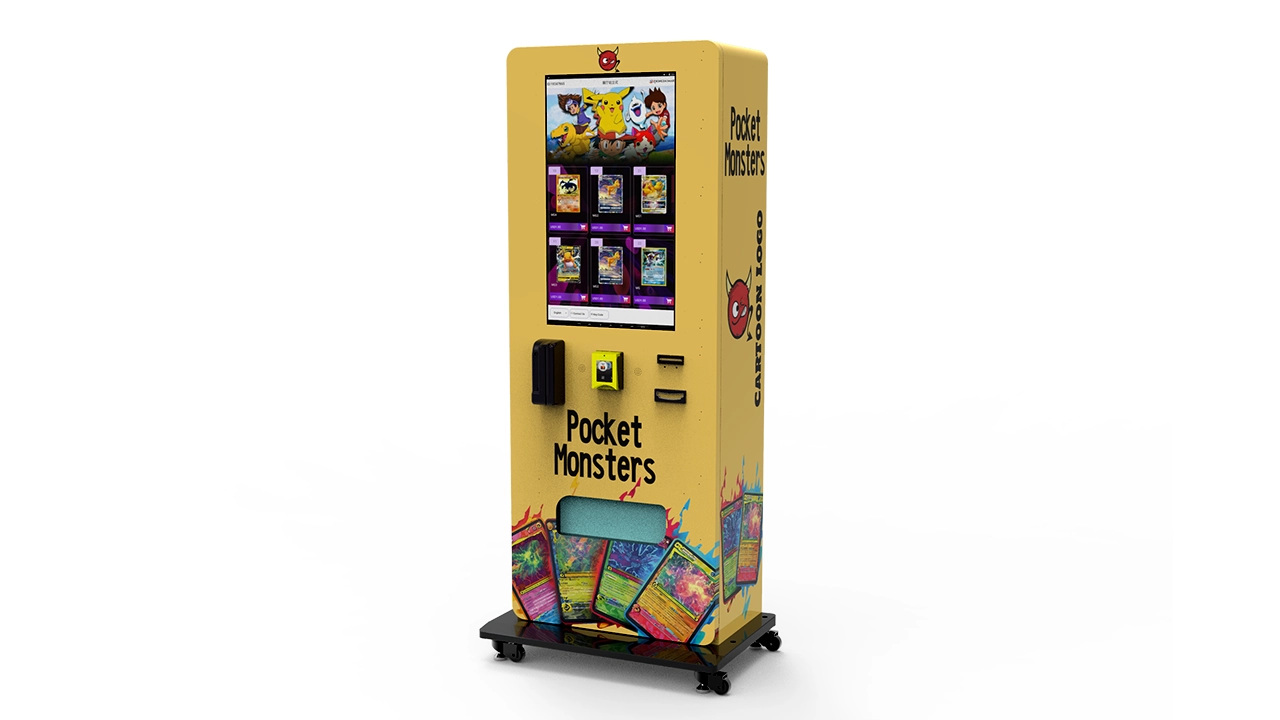
Let’s talk money because that is what every operator actually cares about. A new trading card vending machine with a 32-inch touchscreen will cost you anywhere from $8,000 to $18,000 depending on the manufacturer, card capacity, and payment system included. A basic wall-mounted unit with fewer SKU slots can run $5,500 to $9,000. I am not quoting manufacturer MSRP here; I am giving you the range I have seen in actual invoices from operators who bought in the last two years.
Installation and setup add another $500 to $1,500 per location, especially if you need to run dedicated power or reinforce the mounting surface for a wall unit. Payment processing fees for card transactions typically run 2.6 to 3.5 percent plus a flat fee per swipe. Cash handling costs are lower per transaction but add labor time. Then you have the inventory itself. A well-stocked machine with 80 to 120 SKU slots will require $3,000 to $6,000 in card product just to fill it properly. You cannot fill a card machine with only $1,000 worth of product and expect it to look appealing.
According to a 2023 IBISWorld report on vending machine operation in the US, average industry profit margins sit around 12 to 15 percent after all operating costs. That includes snack and beverage machines. Card vending can do better because the product is smaller and higher value, but only if you control labor and shrinkage. In my own operation, I run a net margin of roughly 22 percent on card machines after accounting for credit card fees, restocking labor, and maintenance. That number took me three years to achieve, and it only happened after I switched to a proper remote monitoring system.
What Remote Management Software Should Actually Do
Not all remote management software is created equal. Some of it is just a basic telemetry feed that tells you the machine is online and maybe what the temperature is. That is not enough for a card vending operation. You need a system that gives you at least four things: real-time inventory by SKU, cash and card payment status, error and jam alerts, and sales data by hour and day.
Real-time inventory is the most critical feature. I want to know that I have 12 packs of a specific football card SKU left in slot 4, not just that the machine is 70 percent full. This lets me decide whether a restock trip is urgent or can wait until next week. The difference between percentage-based and SKU-based inventory tracking is huge. A machine can be 80 percent full but completely out of the one product that drives 40 percent of its revenue.
Error alerts matter more than you think. Card vending machines have more moving parts than snack machines. Spiral jams, misfeeds, and stuck bills happen regularly. A good remote system will send you a push notification the moment a jam occurs, not when the next customer complains. In my experience, the average service call for a card jam costs about $60 in labor plus the lost sales from the machine being down for half a day. If remote alerts prevent even two service calls per month, the software pays for itself.
How I Learned This the Hard Way
In 2019, I placed a machine in a popular hobby shop in the Netherlands. It was a good location with steady foot traffic and an owner who loved the idea of a self-service kiosk for booster packs. But I did not install remote management on that unit because the shop was only 15 minutes from my house. I figured I could just check it in person. What I did not anticipate was that the shop’s busiest hours were between 6 p.m. and 9 p.m., exactly when I did not want to drive out there.
Over three months, that machine underperformed compared to my projections. The shop owner kept telling me it was selling well, but my cash collections were lower than expected. When I finally pulled the sales log, I saw the pattern. The machine sold out of its most popular SKU every Thursday evening, and I was only restocking on Monday mornings. That meant the machine was running without its best product for four full days every week. I lost an estimated $1,200 in sales over that period, not to mention the goodwill of regular customers who stopped checking the machine.
That failure taught me a simple lesson: proximity is not a substitute for data. I installed a remote monitoring unit on that machine within a week, and the sales recovered to expected levels within a month. The shop owner still does not know how much money we lost during that period, but I do. That is the kind of hidden cost that kills small operators.
Comparing Self-Owned, Leased, and Revenue-Share Models
One of the most common questions I get from new operators is whether they should buy their own machine, lease one, or partner with a location owner on a revenue-share basis. There is no universally correct answer, but the numbers are fairly clear when you run them.
Owning a machine gives you full control and the best long-term return, but it also means you carry all the risk. If the location fails, you are moving a heavy piece of equipment and finding a new spot. Leasing lowers your upfront cost but usually locks you into a 24 to 36 month contract with a monthly fee of $150 to $300 per machine. Those fees add up to more than the machine cost over time. Revenue-share arrangements with location owners are attractive because they reduce your rent exposure, but they also reduce your control.
| Business Model | Upfront Cost | Monthly Fixed Cost | Control Level | Typical Return Timeline |
|---|---|---|---|---|
| Self-Owned | $8,000 – $18,000 | Low (maintenance only) | High | 12 – 24 months |
| Leased | $500 – $1,500 deposit | $150 – $300 | Medium | 18 – 30 months |
| Revenue-Share | $2,000 – $4,000 | Variable (10–20% of sales) | Medium | 15 – 24 months |
The revenue-share model works well when you are placing a machine in a high-traffic location that you do not want to lose. For example, a large gaming convention center or a mall kiosk. The location owner feels invested because they get a cut, which means they are more likely to mention the machine to customers and keep an eye on it. But you need to write a clear contract about who handles maintenance and restocking, or you will end up doing all the work while the location owner collects a percentage.
Location Evaluation and Foot Traffic Standards
I have placed machines in shopping malls, hobby shops, game stores, bowling alleys, movie theaters, and even a laundromat. The single biggest factor in success is not the total foot traffic; it is the percentage of that traffic that matches your buyer profile. A busy grocery store might have 3,000 people per day, but if only 1 percent of them collect trading cards, you are better off in a small game store with 150 people per day where 30 percent are potential buyers.
In my experience, a card vending machine needs at least 50 to 100 qualified visitors per day to generate meaningful revenue. That means people who are already buying cards, or people who are in a location where card buying is a natural impulse. A gaming store with a weekly tournament night is ideal because you get a concentrated burst of buyers on those evenings. A movie theater is less ideal unless you place the machine near the arcade area where kids are already spending money.
Rent is a major variable. Mall locations can charge $300 to $800 per month for a small kiosk footprint. A local hobby shop might only ask for $100 to $200 per month because they see the machine as an amenity for their customers. You have to run the math on every location individually. A mall machine that generates $2,000 in monthly sales with 20 percent net margin gives you $400, which barely covers the rent. A hobby shop machine that generates $1,200 in monthly sales with the same margin gives you $240, which leaves you with $140 after a $100 rent. The mall looks better on paper, but the hobby shop is more consistent and has lower foot traffic risk.
According to the U.S. Small Business Administration, small retail operations should keep occupancy costs under 10 to 15 percent of gross sales to remain viable. I apply the same rule to my card vending locations. If rent and utilities exceed 15 percent of gross revenue, I either renegotiate or move the machine.
Equipment Selection and Configuration
The biggest mistake I see new operators make is buying the cheapest machine they can find online. Card vending is not like snack vending where a basic coil machine works fine. Cards are flat, lightweight, and easily damaged by poorly designed dispensing mechanisms. A machine that jams on slightly bent packaging will eat into your profit through service calls and refunds.
I have worked with several manufacturers over the years, and I have found that the build quality of the card dispensing mechanism is the single most important factor. A machine with a reliable pusher system and adjustable slots is worth paying extra for. The 32-inch touchscreen models are popular because they allow for more engaging product displays and easier software updates, but a smaller unit with a better mechanism will outperform a larger unit that jams constantly.
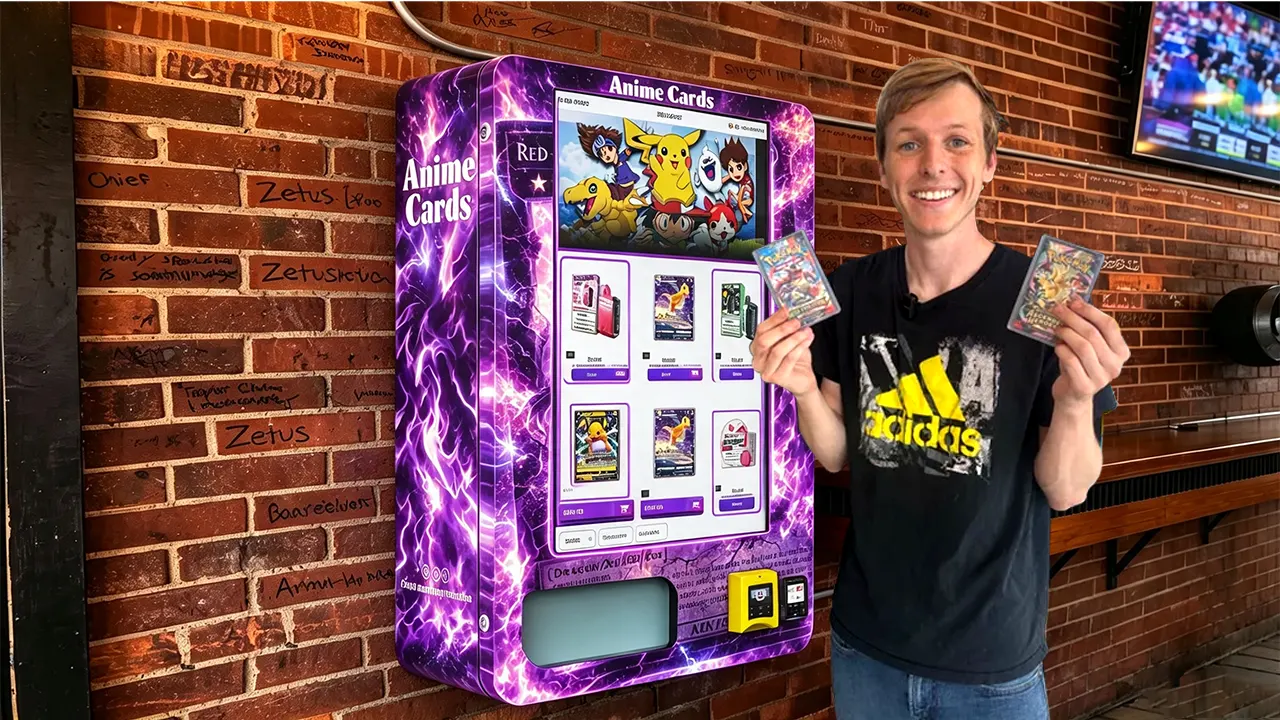
One manufacturer that has consistently performed well in my experience is Zhongda Smart. Their card vending machines use a modular slot system that makes it easy to adjust slot widths for different card sizes, and the remote management interface is straightforward without being bloated. I am not saying they are the only option, but if you are evaluating suppliers, their units are worth putting on your shortlist. They also offer a wall-mounted version that is excellent for locations with limited floor space, like small comic book shops or convenience stores.
Payment Systems and the User Experience
The payment system is the first thing your customer interacts with, and if it is slow or confusing, you lose sales. Modern card vending machines should accept both cash and card payments, including contactless mobile payments. In Europe, contactless is the default for most transactions under 50 euros. In North America, chip cards and Apple Pay are standard. A machine that only accepts coins and bills is a collector’s item in the worst sense.
Payment processing fees need to be factored into your pricing. If a pack of cards costs $5.99 and the payment processor takes 3 percent plus $0.15, you are losing $0.33 on that transaction. That is over 5 percent of your gross margin. Some operators add a small surcharge for card payments, but that can annoy customers. I prefer to build the fee into the product price and keep the experience seamless.
Cash handling is another hidden cost. Card vending machines take in a surprising amount of cash, especially in locations with younger customers who receive cash allowances. You need a secure cash box and a routine for collecting and counting. A machine that holds $800 in coins and bills is a theft target if the location is not secure. Remote management software can alert you when the cash box reaches a certain threshold, so you collect before it gets too full and before it becomes a temptation.
Maintenance, Repairs, and the Cost of Downtime
Every machine will break eventually. The question is how quickly you can respond and how much it costs. A typical card vending machine repair call runs between $75 and $150 for labor, plus parts. Common issues include jammed card dispensers, faulty bill validators, and touchscreen calibration problems. Some of these can be resolved remotely if your software allows you to reset the machine or adjust settings from your phone.
I have had situations where a machine displayed an error code that looked serious but was actually just a card that got stuck behind the pusher plate. With remote diagnostics, I could see the error code, check the camera feed if the machine had one, and guide the location staff through a simple fix. That saved me a service call and kept the machine running. Without remote diagnostics, I would have driven 45 minutes to remove a single card.
The cost of downtime is higher than most new operators realize. If a machine is down for three days during a new product release, you lose not only the sales from those days but also the momentum of customers who came specifically to buy that product. They might not come back for a month. I estimate that a single day of downtime during a major release costs me between $80 and $150 in lost sales, plus the long-term loss of customer trust. That is why I prioritize machines with reliable hardware and strong remote support.
Restocking Efficiency and Inventory Management
Restocking is where most operators lose their profit margin. If you are driving to a location every three days to fill a machine that only sells $200 worth of cards per week, you are losing money on gas and labor. The goal is to restock based on data, not on a fixed schedule.
I use a simple rule: restock when the machine has sold 60 percent of its highest-margin SKUs, or when the total inventory drops below 40 percent. This means some locations get restocked every five days, while others go two weeks. My remote management software sends me a restock alert based on these thresholds, and I plan my routes accordingly. This has cut my restocking labor by about 35 percent compared to my earlier fixed-schedule approach.
Inventory management also involves knowing which products to carry. Card vending is not like snack vending where you stock the same items year-round. The trading card market is driven by releases. A new sports card set might sell out in two weeks, while an older set sits on the shelf for months. I track sales data by SKU and adjust my product mix every four to six weeks. This keeps the machine fresh and maximizes the revenue per slot.
Sourcing Data and Public Statistics
It helps to ground some of these operational observations in broader industry data. According to Statista, the vending machine market in the United States generated approximately $7.4 billion in revenue in 2023, with a projected annual growth rate of around 4 percent. That is the overall market, not specifically card vending, but it tells you the sector is stable and growing.
For the trading card market itself, a report from Verified Market Research estimated the global trading card market at roughly $20 billion in 2023, with projected growth driven by sports cards and collectible card games. This is the demand side of the equation. As the card market grows, the need for convenient, self-service retail options like card vending machines grows with it.
I want to be clear that these figures are industry estimates, not guarantees for any individual machine. Your actual revenue will depend on location, product selection, and how well you manage the operation. I have seen machines gross $3,000 per month in a strong location and less than $300 per month in a poor one. The difference is not luck; it is planning.
Common Mistakes New Operators Make
The most common mistake is placing a machine in a location based on total foot traffic rather than qualified traffic. I once placed a machine in a large supermarket because the manager offered me free floor space. The store had 2,000 customers per day, but almost none of them bought trading cards. The machine sat at 30 percent inventory for weeks. I moved it to a small comic shop after three months, and the same machine tripled its revenue within a month.
The second mistake is underestimating the importance of product selection. You cannot just fill a machine with whatever cards you can buy wholesale. You need to know what the local collector community wants. A machine in a predominantly sports-focused area should carry football and basketball cards. A machine near a game store should carry Pokémon and Yu-Gi-Oh. This sounds obvious, but I have seen operators stock a machine with baseball cards in a region where baseball is not popular, and then wonder why sales are slow.
The third mistake is ignoring the data. Remote management software gives you a treasure trove of information about which products sell, when they sell, and how much cash you are collecting. If you do not look at that data, you are flying blind. I check my sales dashboard every morning, even if I am not planning to restock that day. It takes five minutes, and it tells me if any machine needs attention.
Vendor Selection and Due Diligence
Choosing a machine supplier is one of the most important decisions you will make. I recommend visiting a trade show or at least requesting a live video demonstration before buying. A supplier that cannot show you a working machine with real software should be treated with suspicion. Ask about spare parts availability, warranty terms, and response times for technical support. A machine is only as good as the support behind it.
Zhongda Smart is one of the suppliers I have worked with, and their after-sales support has been solid. They provide remote diagnostics assistance and ship spare parts quickly. But I would say the same thing about any supplier I recommend: do your own due diligence. Ask for references from other operators in your region. Join vending operator forums and ask about specific models. The vending community is small, and word spreads fast about bad equipment.
Regulatory and Business Compliance
Operating a card vending machine is not a license to print money; it is a business with legal obligations. Depending on where you operate, you may need a business license, a sales tax permit, and possibly a vending machine permit from the local municipality. In the European Union, you need to comply with VAT registration if your sales exceed the threshold. In the United States, sales tax rates vary by state and even by city.
I recommend consulting with a local accountant before placing your first machine. The cost of a consultation is small compared to the penalties for operating without the proper permits. Also, check with your insurance provider about coverage for the machine and the inventory. If a machine is damaged in a fire or theft, you want to be able to recover your investment.
Scaling Your Operation
Once you have one machine running profitably, the temptation is to scale quickly. I advise caution. The operators who fail at scaling are the ones who add machines faster than they can manage them remotely. A remote management system helps, but it does not replace the need for a reliable restocking routine and a maintenance plan.
I have found that the sweet spot for a solo operator is three to five machines. Beyond that, you need either a part-time helper or a very efficient route plan. I currently run seven machines with the help of a part-time assistant who handles restocking on weekends. My remote software lets me manage the operation from my laptop, but I still spend about 10 hours per week on logistics and planning.
Frequently Asked Questions
Are trading card vending machines profitable?
They can be profitable, but it depends heavily on location and product selection. In my experience, a well-placed machine can gross $1,000 to $3,000 per month, with net margins of 15 to 25 percent after all costs. A poorly placed machine can lose money every month. The profit is not automatic; it comes from smart planning and consistent management.
How much does a trading card vending machine cost?
A new machine typically costs between $5,500 and $18,000 depending on the size, features, and manufacturer. A basic wall-mounted unit is on the lower end, while a large 32-inch touchscreen model with high capacity is on the higher end. Add $500 to $1,500 for installation and $3,000 to $6,000 for initial inventory.
How long does it take to recoup your investment?
With good locations and consistent sales, you can recoup your investment in 12 to 24 months. If the location underperforms, it could take much longer or never happen. I always recommend starting with one machine and learning the operational side before buying multiple units.
Should a beginner buy or lease a machine?
Buying is better for long-term profitability, but leasing lowers the upfront risk. If you are new and unsure about the business, leasing one machine for six months to learn the ropes can be a reasonable option. Just read the lease terms carefully and understand the total cost over the contract period.
Where should I place a card vending machine to make the most money?
Look for locations where trading card collectors already gather: game stores, comic shops, hobby shops, and local gaming tournaments. High foot traffic areas like malls can work, but only if the demographic matches the card buyer profile. A location with 100 qualified visitors per day is better than one with 1,000 unqualified visitors.
What permits or licenses do I need to operate a card vending machine?
Requirements vary by country and region. In the US, you typically need a business license and a sales tax permit. In the EU, you need to register for VAT if your sales exceed the threshold. Check with your local municipality for any specific vending machine permits. Consult an accountant or business advisor for your specific situation.
How do I choose a reliable vending machine supplier?
Ask for references, request a live demonstration, and check online forums for operator feedback. Look for a supplier that offers good warranty terms, readily available spare parts, and responsive technical support. Zhongda Smart is one supplier I have worked with, but you should evaluate multiple options based on your specific needs.
What should I do if my machine breaks down?
First, check the remote management dashboard for error codes. Many common issues like card jams can be resolved by resetting the machine remotely or having location staff perform a simple fix. If the problem is more serious, contact your supplier’s technical support or call a local vending machine repair technician.
How can I reduce maintenance and restocking costs?
Use remote management software to monitor inventory levels and error codes so you only visit when necessary. Plan your restocking routes based on data, not a fixed schedule. Choose a machine with a reliable dispensing mechanism to minimize jams. Track your costs per machine and identify which locations are taking up too much of your time.
Final Thoughts from the Field
Remote management software for trading card vending machines is not a luxury; it is the tool that separates profitable operators from those who burn out. The machines are not passive income. They require attention, data analysis, and a willingness to move them when a location does not perform. If you go into this business expecting to plug in a machine and collect money, you will be disappointed. If you go in with a plan to monitor, adjust, and optimize, the margins can be solid.
The trading card market is growing, and the demand for self-service retail options is real. But every machine is a small business, and every small business needs a manager. The good news is that the technology has reached a point where one person can manage a small fleet of machines effectively. The bad news is that the technology only works if you actually use it.
I have made my share of mistakes, and I have paid for them in lost sales and wasted hours. The lesson I keep coming back to is simple: trust the data, not your intuition. Your gut might tell you a location is good because it is busy. The data will tell you whether the people walking past are actually buying cards. Listen to the data, adjust your approach, and you will find that the business rewards patience and precision.
This article reflects my personal experience and estimates. Actual results vary by location, market conditions, and operational efficiency. Always conduct your own research and consult with professionals before making significant investments.