If you are looking for the best vending machine for PSA graded cards, stop thinking about hardware first and start thinking about your location’s foot traffic and your restock routine, because the machine itself is only half the battle. I have spent over a decade placing automated retail units across the US and Europe, and I can tell you that a card machine will make or break on two things: how often you can service it and how well you understand the local collector base. The right unit is the one that matches your volume, your space, and your willingness to handle returns and disputes, not the one with the flashiest screen. In this piece, I will walk you through what actually matters when buying a trading card vending machine, what I wish I had known in year one, and how to avoid the mistakes that eat your margin.
Why Card Vending Machines Are a Different Animal
Running a snack machine is simple. You fill it, you collect coins, and you rotate expired product. A PSA graded card vending machine is a completely different business because the inventory is high-value, the customers are picky, and the failure points are more about trust than mechanics. When I placed my first unit in a mall in Ohio, I thought it would be a side project. I quickly learned that the card crowd expects a certain level of presentation, security, and transparency that a candy coil just does not provide.
The biggest difference is the product itself. A graded card is a fragile, valuable item that can be damaged by a faulty drop mechanism or a poorly designed retrieval bin. You are not selling a soda; you are selling a collectible that the buyer might later resell for hundreds of dollars. That changes everything about how you choose the machine, how you set the price, and how you handle the inevitable complaint that a card arrived with a scratched case.
Another thing that surprised me was the seasonality. Snack sales are steady; card sales spike around release dates, holidays, and major grading submission windows. You need a machine that can handle a sudden surge in demand without jamming or running out of popular product. If you buy a cheap unit without a robust delivery system, you will spend your weekends clearing jams instead of counting profit.
Finally, the payment side is more complex. Most card collectors pay with credit cards or mobile wallets, not cash. Your machine needs a reliable card reader, and it needs to handle pre-authorization holds properly because a card transaction can be reversed if the customer disputes the charge. I have seen operators lose hundreds of dollars because their machine did not have a proper settlement process.
What I Learned From My First Failure
I want to be upfront about my biggest mistake because it might save you a lot of money. In 2019, I bought a refurbished spiral vending machine that was originally designed for packaged snacks. It looked fine, and the price was tempting, but it was completely wrong for graded cards. The drop distance was too high, so cards would tumble into the bin and the cases would crack. The product trays were too wide for card slabs, so the items would get stuck halfway through the delivery chute. I spent more time fixing that machine than I did making sales.
That experience taught me a lesson that I still apply today: never buy a general-purpose machine and try to retrofit it for cards. You need a unit that was designed from the ground up for slabbed collectibles. The delivery mechanism has to be gentle, the compartments have to be sized for PSA and BGS cases, and the bin has to have enough padding to absorb the drop. I eventually replaced that machine with a purpose-built trading card vending machine, and the difference was night and day.
The second failure was about location. I placed a machine in a comic book store that had great foot traffic but no dedicated collector base. The store owner loved the idea, but the customers were mostly casual readers, not people looking to spend $80 on a graded rookie card. I learned that foot traffic alone is not enough. You need a location where the customers already have the intent to buy collectibles, or at least a place where they are used to spending money on premium items.
I also underestimated the importance of a good camera system. When a card gets damaged or goes missing, the customer will almost always blame the machine. Without a clear camera angle showing the delivery process, you have no way to prove that the machine worked correctly. I now insist on machines with built-in cameras and a full transaction log, and I have used that footage to win several disputes that would have otherwise cost me the product and the customer.
What to Look for in a Card Vending Machine
When I evaluate a machine for a new location, I do not start with the price tag. I start with the delivery system. The best vending machine for PSA graded cards has a soft-drop mechanism, preferably one that uses a conveyor or a rotating shelf rather than a free-fall drop. This is non-negotiable in my book. A free-fall machine will damage slabs over time, and you will eat the cost of replacements.
Next, I look at the storage capacity. A good machine should hold at least 100 to 150 graded cards, but more importantly, it should allow you to mix different price tiers. You do not want to fill the entire machine with $30 cards when your location actually sells $100 cards faster. Look for a machine that lets you adjust the price per compartment or per row, so you can experiment with pricing without changing your entire inventory setup.
Security is another big factor. These machines are targets for theft, both by customers and by people who try to break in after hours. I recommend a machine with a steel body, a locking mechanism that is resistant to picking, and an alarm system that alerts you if the machine is tilted or forced open. You should also consider a GPS tracker, especially if you are placing machines in less secure areas.
Finally, consider the software. The best machines come with a cloud-based management platform that lets you see inventory levels, sales data, and error codes remotely. This is not a luxury; it is a necessity if you plan to run more than one machine. I have saved hours of driving by checking the dashboard before I leave the house and knowing exactly which compartments need restocking and which ones have been selling poorly.
Screen Size and User Interface
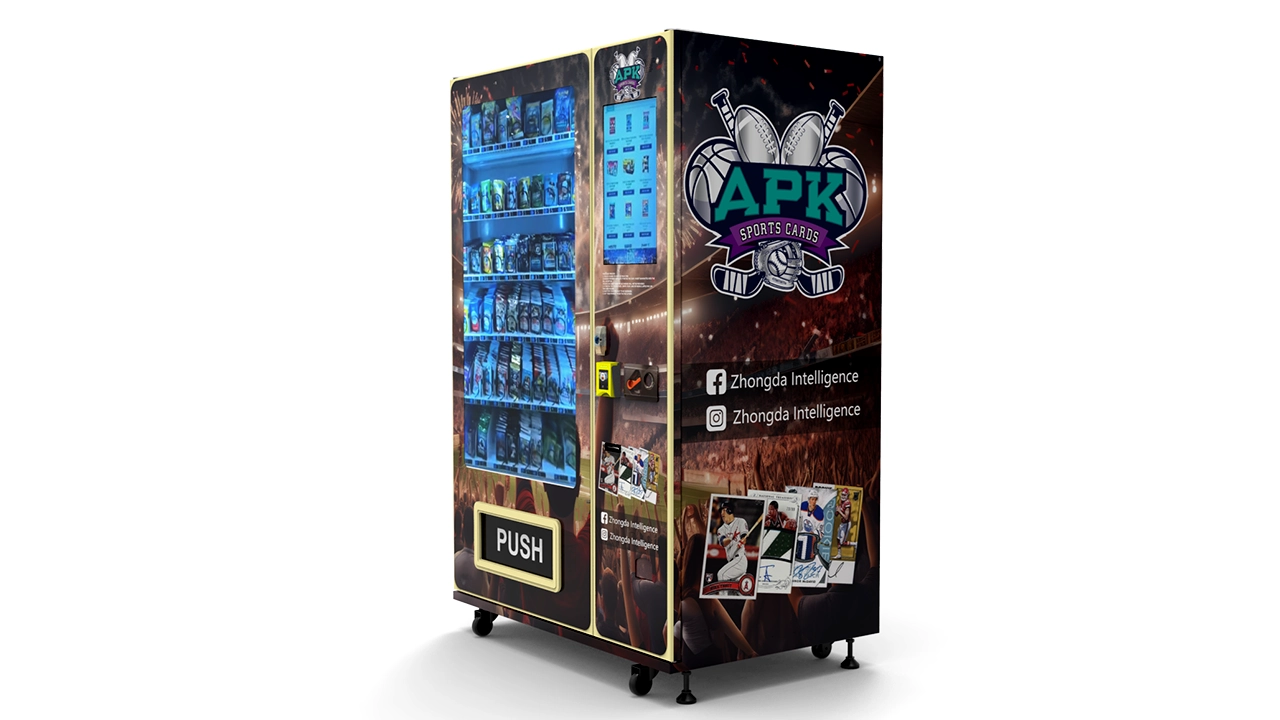
I get asked a lot about whether you need a big touchscreen. My answer is: it depends on your customer base. A 32-inch touchscreen trading card vending machine is great for a busy mall or a card show because it draws attention and allows you to display high-resolution images of the cards. But if you are placing a machine in a quieter location, a smaller screen might be more than enough and will save you money on the initial purchase and on maintenance.
What matters more than the screen size is the user interface. The customer should be able to browse the inventory, see the card details, and complete the purchase in under a minute. If the interface is confusing or slow, you will lose sales. I always test the machine myself before I sign off on a purchase, and I spend at least ten minutes trying to break the flow.
You also want a machine that supports multiple payment methods. In 2024, that means contactless credit cards, Apple Pay, Google Pay, and sometimes even cryptocurrency if you are in a tech-savvy area. Cash is rarely used in card vending, but I still keep a cash acceptor on my machines because some older collectors prefer it.
Location Is Everything
I have said this before, and I will say it again: the best vending machine for PSA graded cards in the world will not make money in the wrong location. You need to be ruthless when evaluating a potential spot. I use a simple rule of thumb: the location should have at least 500 people passing by per day, and at least a portion of those people should be the type who spends money on hobbies. A grocery store might have thousands of visitors, but they are not there to buy cardboard.
My most successful placement was in a sports card shop. The owner did not want to carry graded cards because of the risk, but he was happy to host my machine and take a commission. That machine did over $3,000 in sales in the first month. The reason it worked is that the customers were already in the store to buy cards, so the machine was an extension of their shopping trip, not a random novelty.
On the other hand, I placed a machine in a gym once because the owner offered me a cheap rental rate. It was a disaster. The foot traffic was high, but the demographic was wrong. I sold maybe two cards in three months, and I finally moved the machine to a hobby shop across town where it now does steady business. The lesson is that you have to match the machine to the audience, not just to the foot count.
When you are scouting a location, pay attention to the surrounding businesses. A location near a comic book store, a game store, or a university campus is usually good. A location near a supermarket or a discount store is usually bad for high-value collectibles. You also want to check the average transaction value of the other businesses in the area. If people are spending $50 or more on other items, they are more likely to spend that on a card.
Rent and Revenue Share Models
You have two main options for paying the host: a fixed monthly rent or a revenue share. I prefer a revenue share in most cases because it aligns your interests with the host’s. They are more likely to promote the machine if they are earning a percentage of the sales. A typical revenue share is 10% to 20% of gross sales, but this varies depending on the location and the expected volume.
Fixed rent is better when you know the location will perform well and you want to cap your costs. For example, a card shop that already has a loyal customer base might be worth paying a flat $200 per month because you know you will make $1,000 or more in sales. But for a new or unproven location, I always negotiate a revenue share first. It reduces your risk and makes it easier to walk away if the machine does not perform.
One thing to watch out for is the contract length. Some hosts will ask for a one-year commitment, which is fine if the location is proven. But for a new location, I try to get a three-month trial period. That gives me enough time to see if the machine can hit my minimum sales threshold, which is usually around $500 per month in gross sales to justify the effort.
Costs and Return on Investment
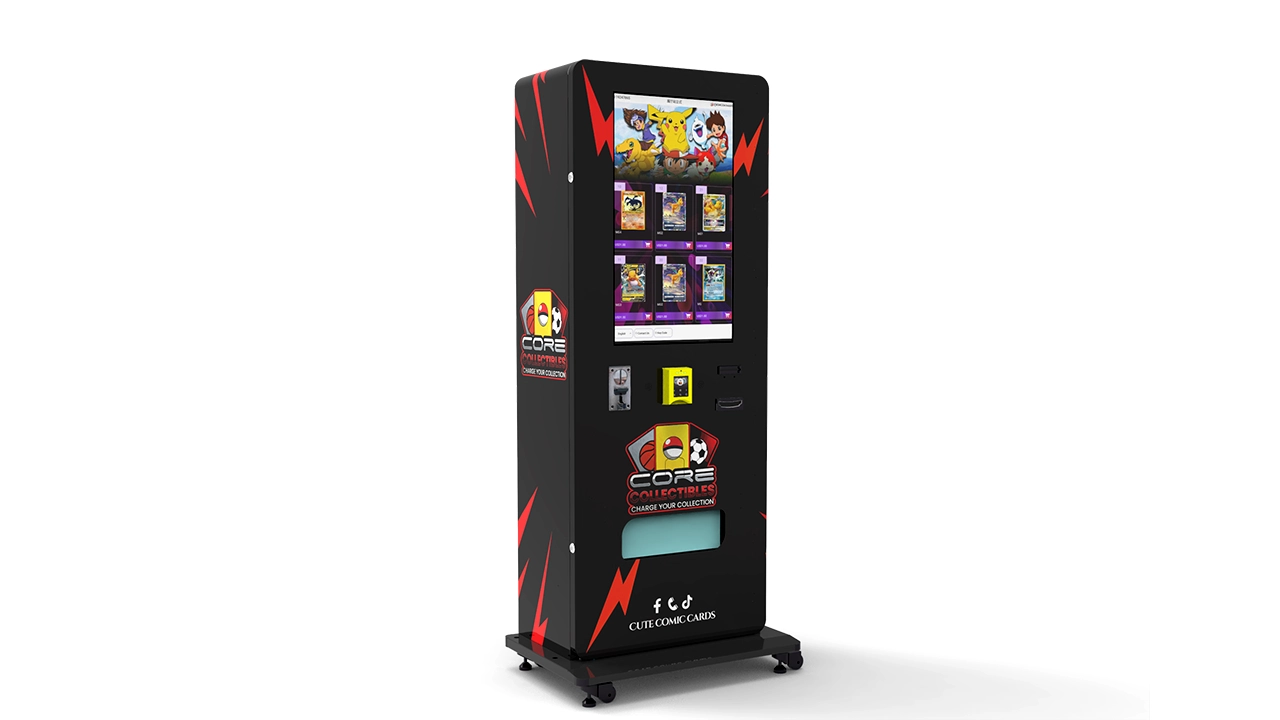
Let me give you a realistic picture of the numbers. A new, purpose-built trading card vending machine will cost you anywhere from $6,000 to $15,000 depending on the configuration. A wall-mounted card vending machine is cheaper, usually in the $4,000 to $7,000 range, but it has less capacity and is better for smaller spaces. A large, free-standing unit with a 32-inch screen and a high-capacity storage system will be at the top of that range.
I also recommend budgeting for installation, shipping, and setup, which can add another $500 to $1,500 depending on the location. If you are placing the machine in a mall or a retail space, you may need to pay for an electrician to run a dedicated outlet, and you might need to pay the venue a one-time installation fee.
On the revenue side, a well-placed machine can generate between $800 and $2,500 per month in gross sales. My average across all my machines is around $1,200 per month. The gross margin on graded cards is usually 30% to 50%, depending on how you source your inventory. If you buy cards at wholesale or through bulk deals, your margin is higher. If you have to buy at retail, your margin is thinner.
Let me give you a simple example. If you buy a machine for $10,000, and it generates $1,200 per month in sales with a 40% margin, your gross profit is $480 per month. Subtract the location commission (maybe $150), the payment processing fees (around 3% of sales, so $36), and the cost of electricity and maintenance (around $50), and you are left with about $244 per month. That means your payback period is roughly 41 months, or about 3.5 years. That is not great, but it is realistic for a mediocre location.
If you find a great location, the numbers improve. A machine that does $2,500 per month with a 50% margin gives you $1,250 in gross profit. Subtract $250 for the commission, $75 for processing fees, and $50 for maintenance, and you are left with $875 per month. Your payback period drops to about 11 months. So the difference between a good location and a bad location is the difference between a losing investment and a profitable one.
According to IBISWorld, the vending machine industry in the US has grown steadily over the past five years, with a market size of over $9 billion in 2024. The same report notes that operators are increasingly shifting toward niche, high-margin products like collectibles, which supports my experience that card vending is a viable niche if you do it right.
Comparing Machine Types and Configurations
To help you see the differences at a glance, I have put together a table based on my experience and current market prices. This is not a guarantee of performance; it is a reference point for your own planning.
| Machine Type | Initial Cost | Capacity | Best Use Case | Typical Monthly Sales | Payback Period |
|---|---|---|---|---|---|
| Wall-mounted unit | $4,000 – $7,000 | 30 – 50 cards | Small shops, cafes, limited space | $400 – $800 | 12 – 18 months |
| Standard free-standing | $7,000 – $12,000 | 100 – 150 cards | Card shops, malls, hobby stores | $800 – $1,800 | 10 – 24 months |
| Large touchscreen model | $12,000 – $18,000 | 200+ cards | High-traffic locations, card shows | $1,500 – $3,000 | 8 – 15 months |
| Used/refurbished | $2,000 – $5,000 | Varies | Low-budget start, testing a location | $300 – $700 | 12 – 24 months |
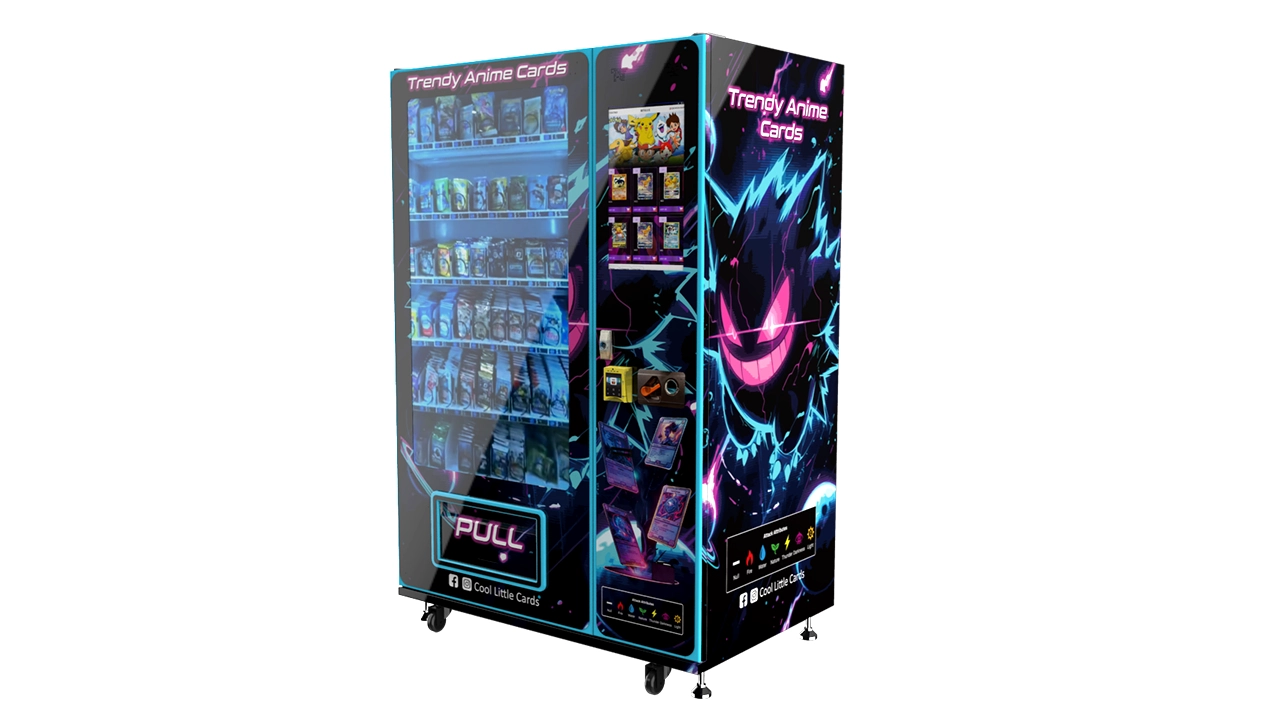
You will notice that the payback period varies a lot even within the same machine type. That is because the location and your inventory management have a bigger impact than the hardware. I have seen operators with a cheap wall-mounted unit make more money than someone with a $15,000 touchscreen machine because they placed it in the right spot and restocked it with the right product.
When you are comparing machines, do not just look at the sticker price. Look at the cost per slot, the ease of restocking, and the reliability of the delivery mechanism. A machine that is hard to restock will eat into your labor time, and a machine that jams often will cost you in service calls and lost sales.
How to Choose a Supplier
Choosing the right supplier is just as important as choosing the right machine. I have bought from big manufacturers and from smaller, specialized shops, and I have learned to ask a few key questions before I hand over any money. First, ask about the delivery mechanism and whether it is designed specifically for graded card slabs. If the supplier hesitates or tries to sell you a generic machine, walk away.
Second, ask about spare parts availability. You will need new motors, sensors, and payment system components eventually. If the supplier does not stock spare parts or does not offer a maintenance program, you will be stuck when something breaks. I always ask for a list of commonly replaced parts and their prices before I buy.
Third, check the warranty. A good machine should come with at least a one-year warranty on the mechanical parts and the control board. Some suppliers offer two years, which is even better. But read the fine print. Some warranties do not cover the payment system or the screen, which are the two most expensive components to replace.
I have also worked with Zhongda Smart on a couple of machines, and I have been impressed with their build quality and their willingness to customize the software. They are not the cheapest option, but they understand the card vending niche better than most generic vending machine manufacturers. If you are looking for a reliable partner rather than just a one-time purchase, they are worth considering.
Do not be afraid to ask for references. A reputable supplier should be able to give you contact details of other operators who have bought the same machine. I have called a few of these references, and the conversations have saved me from making some expensive mistakes.
Inventory Management and Restocking
Your inventory is your biggest cost and your biggest opportunity. I have learned that you cannot just fill the machine with any graded cards and hope they sell. You need to track what is moving and what is not, and you need to adjust your selection based on the data. My best-selling cards are usually rookie cards of popular players, especially if they are graded PSA 9 or PSA 10. Autographed cards also do well, but they are riskier because the market can be more volatile.
I restock my machines every two to three weeks, depending on the sales volume. If a machine is in a high-traffic location, I might check it weekly. During restock, I remove any cards that have been sitting for more than 60 days and replace them with fresh product. I also check the condition of the slabs and the packaging, because a scratched case will not sell at full price.
One mistake I made early on was overloading the machine with too many low-priced cards. I thought that a wider selection would lead to more sales, but it just led to more stale inventory. I now keep a mix of about 60% cards in the $20 to $50 range, 30% in the $50 to $100 range, and 10% premium cards over $100. This seems to match the buying behavior of most collectors who use vending machines.
You also need to think about the source of your cards. I buy from a mix of local card shops, online auctions, and private sellers. I always verify the grade and the authenticity before I put a card in the machine. A counterfeit card will destroy your reputation and could get you into legal trouble. I have never sold a fake, but I have come close twice, and I now use a loupe and a scale to check every card that costs more than $50.
Maintenance and Repair
No matter how good your machine is, it will break down eventually. The most common issues I have dealt with are card jams, payment system failures, and screen glitches. Card jams are usually caused by a misaligned tray or a card that is slightly too thick for the compartment. I have learned to check the alignment during every restock, and I keep a small toolkit in my car for quick fixes.
Payment system failures are more serious because they completely stop sales. I recommend using a payment processor that offers remote diagnostics and a quick replacement program. Some processors will send you a new card reader within 24 hours if the old one fails, which is worth the extra cost. I have also learned to keep a spare card reader on hand for my busiest machines.
When you are budgeting for maintenance, set aside about 10% of your gross revenue for repairs and replacement parts. This might seem high, but it is better to be prepared. In my first year, I spent nearly 20% of my revenue on repairs because I bought a used machine that was not suited for cards. Once I switched to better machines, my maintenance costs dropped to around 5% to 8%.
For more serious issues, you will need to call in a professional. Vending machine repair is not a DIY job if you do not have the technical skills. I have a local technician who I trust, and I pay him a flat rate of $100 per visit plus parts. If you are placing machines in multiple cities, you should have a list of technicians in each area before you need them.
Payment Systems and Customer Trust
I mentioned this earlier, but it deserves its own section. The payment system is the face of your machine, and if it is slow or unreliable, customers will walk away. I use payment processors that are widely recognized, like USA Technologies or Nayax, because they offer good uptime and their card readers are familiar to customers. I also make sure the machine displays a clear message that it accepts contactless and mobile payments.
One issue that comes up with high-value items is pre-authorization. Some credit card companies will put a hold on the funds for a few days, which can cause disputes if the customer sees the hold and thinks they were charged twice. I always include a note on the screen that says the hold will be released within a few business days. This simple message has reduced my dispute rate significantly.
You also need to think about refunds and returns. If a customer claims that the card was damaged, you need a clear policy. I offer a 48-hour exchange policy on any card that is visibly damaged. I do not offer cash refunds because that is too easy to abuse. Instead, I give the customer a store credit that they can use on the machine. This has worked well for me, and it keeps the customer happy without giving away free money.
Regulations and Permits
The legal side of vending machines is less exciting than the sales side, but it can trip you up if you ignore it. In the US, vending machines are generally regulated at the state and local level. You may need a vending license, a sales tax permit, and possibly a food or product safety permit if you are selling items that could be considered regulated. Graded cards are not food, so the health department is not usually involved, but you still need to collect and remit sales tax.
In the European Union, the rules are different in each member state. For example, in France, you may need to register as a commercial activity and comply with local consumer protection laws. The EU has strict rules about distance selling and consumer rights, which can apply to vending machines if the customer is considered to be purchasing remotely. I recommend consulting with a local business advisor before you place a machine in a new country.
According to the U.S. Small Business Administration, the cost of necessary permits and licenses can range from $50 to $500 depending on your state and locality. This is a small cost, but you need to factor it into your budget. I also recommend getting liability insurance, especially if you are placing machines in public places. A customer could trip over the machine or claim that a card damaged their property, and you want to be protected.
One more thing: if you are placing a machine in a school or a venue that serves minors, you need to be careful about the content. Some graded cards are valuable and could be a target for theft. I have placed machines in a few high schools, and I always use a machine that requires an adult to complete the purchase, either by scanning an ID or by using a credit card.
Self-Operation vs. Partnership vs. Placement
There are three main ways to run a card vending business: you own and operate the machine yourself, you partner with a location owner who runs it for you, or you simply place the machine and let a third party manage it. Each model has its pros and cons, and I have tried all three.
Self-operation is the most profitable if you have the time and the discipline. You control the inventory, the pricing, and the restock schedule. But it is also the most time-consuming. If you have a full-time job, you might struggle to keep up with restocking and maintenance. I did this for the first two years, and I was exhausted.
Partnering with a location owner is a good middle ground. You provide the machine and the inventory, and the owner handles the day-to-day monitoring and restocking. In exchange, you give them a commission, usually 15% to 25% of gross sales. This works well if you find a location owner who is reliable and who understands the card market. I have a partnership with a hobby shop owner in Texas, and he does a fantastic job of keeping the machine stocked and promoting it to his customers.
The third model is a fully managed placement, where you rent the machine to a location and they take care of everything. This is the least profitable for you, but it is also the least work. You might only make $200 to $300 per month per machine, but you do not have to worry about restocking or repairs. I do not recommend this model unless you have a large number of machines and you want to scale quickly.
Common Mistakes and How to Avoid Them
I have made a lot of mistakes in this business, and I want to share the most common ones so you do not repeat them. The first mistake is buying a machine before you have a location. You think you have a great idea, so you buy the machine, and then you cannot find a place to put it. I did this once and ended up with a machine sitting in my garage for six months. Always secure the location first, even if it is just a verbal agreement, before you spend the money.
The second mistake is underestimating the importance of card condition. I have sold cards that looked fine in the machine but had tiny scratches that only showed up under certain lighting. The customer complained, and I had to issue a refund. Now I inspect every card with a bright light before I load it, and I reject any card with visible flaws.
The third mistake is ignoring the data. If you do not track your sales by card type, price range, and location, you are flying blind. I use a simple spreadsheet to track every transaction, and I review it every month. This has helped me identify which cards to buy more of and which ones to phase out.
Finally, do not neglect the customer experience. A machine that is dirty, poorly lit, or hard to use will not attract repeat buyers. I clean my machines every time I restock, and I replace the screen protector if it gets scratched. I also add a small sign that thanks the customer and invites them to follow my social media for restock updates. This has built a loyal following in a few of my locations.
Data and Trends in Automated Retail
The automated retail market is growing, and the card vending niche is part of that trend. According to Statista, the global vending machine market is projected to grow at a compound annual growth rate of about 6% from 2023 to 2028. This growth is driven by the increasing acceptance of self-service kiosks and the demand for contactless payment options. The same report notes that the average transaction value at a vending machine has increased as operators offer higher-quality products.
In the trading card space, the market has seen a resurgence in interest, especially for graded cards. The grading market itself has grown significantly, with companies like PSA and BGS reporting record submission volumes in recent years. This means that there is a large supply of graded cards available, but not all of them are easy to sell. You need to be selective about what you buy and where you place it.
I also see a growing trend toward self-service kiosks in retail environments. A self-service kiosk is not just a vending machine; it is an interactive display that can show product details, reviews, and even videos. This is particularly useful for card vending because the customer can zoom in on the card images and see the condition before they buy. I have installed a few machines with this capability, and they have higher conversion rates than my older machines.
European markets are also adopting automated retail more quickly than I expected. In countries like Germany and the Netherlands, I have seen a rise in the use of distributeur automatique and borne en libre-service models in shopping centers and transit hubs. The key to success in these markets is to comply with local data protection laws and to offer multilingual interfaces.
FAQ
Are card vending machines profitable?
Yes, they can be profitable, but it depends heavily on the location and your inventory management. In my experience, a well-placed machine can generate $800 to $2,500 per month in gross sales, with a payback period of 12 to 24 months. However, a poor location will lose money, so do not expect automatic profits.
How much does a card vending machine cost?
A new, purpose-built machine costs between $6,000 and $15,000, depending on the size, screen, and capacity. Wall-mounted units are cheaper, starting around $4,000. Used machines can be found for $2,000 to $5,000, but they come with higher maintenance risks.
How long does it take to recoup the investment?
At a good location, you can recoup your investment in 12 to 18 months. At an average location, it might take 2 to 3 years. If the location is bad, you might never recoup your investment. Always do a break-even analysis before you buy.
Should a beginner buy or lease a machine?
I recommend starting with a used or lower-cost machine if you are a beginner, just to test the waters. Leasing is also an option if you do not want to commit capital, but the monthly payments will eat into your margin. I suggest buying a used machine first, learning the ropes, and then upgrading once you have proven the concept.
Where is the best place to put a card vending machine?
Card shops, hobby stores, comic book shops, and gaming venues are the best locations. Places with high foot traffic but no collector culture, like supermarkets or gyms, are usually poor choices. I also recommend looking for locations where people already spend $50 or more on leisure items.
What permits do I need to operate a vending machine?
You typically need a vending license, a sales tax permit, and sometimes a general business license. The cost and requirements vary by state and locality. In the US, the U.S. Small Business Administration is a good place to start for guidance. In the EU, you will need to check the local regulations in each country.
How do I choose a reliable supplier?
Ask about the delivery mechanism, spare parts availability, warranty, and references. A good supplier should be willing to talk about the machine’s limitations and should offer a maintenance program. I have had good experiences with Zhongda Smart, but you should always do your own due diligence.
What happens if the machine breaks down?
You will need to either fix it yourself or call a technician. I recommend keeping spare parts on hand and having a local repair contact before you need one. Most common issues, like card jams, can be fixed in a few minutes if you know what you are doing.
How can I reduce restocking and maintenance costs?
Use a machine with a cloud-based management system so you know exactly what is in stock and what is not. Restock on a regular schedule, and do not overfill the machine with slow-moving product. Keep a maintenance budget of about 5% to 10% of revenue, and address small issues before they become big ones.